The Last Wish Buy: Step-by-Step Checkout Guide
Buying takes a few clicks, but the screens hide a few things worth seeing first: an add-on with two names, later offers priced at $97.19 and $47.19, and a total that changes with your country.
- Written by
- HealthCure Guide Editorial Team
- Reviewed by
- HealthCure Guide Editorial Team
- Updated
- Reading time
- 9 min read
This guide contains affiliate links. If you buy through them we earn a commission at no extra cost to you. It does not change the verdict. Disclosure.
If you are about to do the last wish buy, this page walks through each screen in order, so nothing at the checkout surprises you. On 2026-10-09 we read the sales pages, the Terms and the checkout screen. We did not complete a purchase, so for anything after payment we rely on what the pages state, and we say where we cannot see. For a description of what the package contains, read what you get; for our verdict, the full review.
We write independently of the seller, and an order made through our links may pay us a commission. Treat this as a how-to for a purchase you have already decided on, not as encouragement to spend. Our disclaimer has the details.
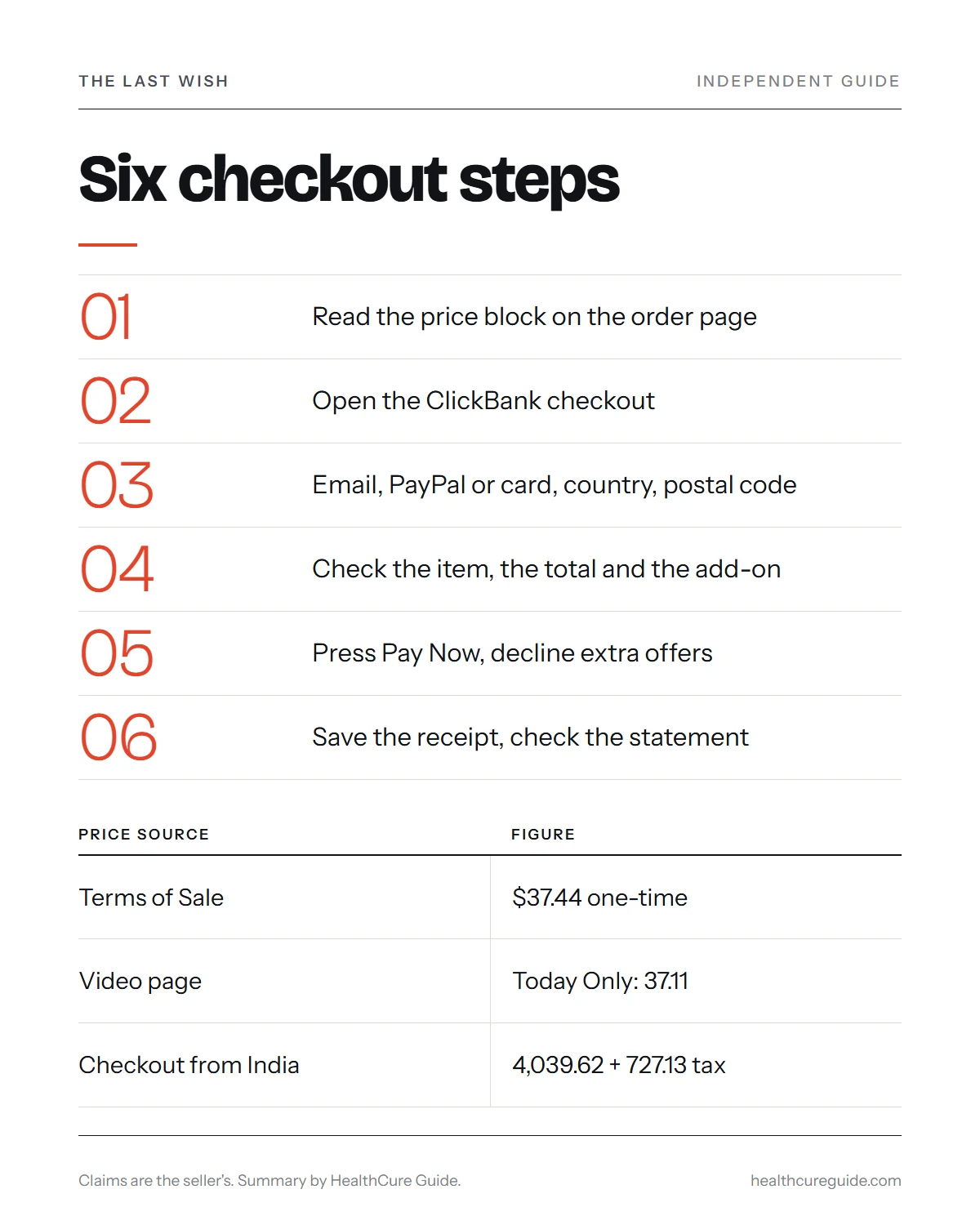
The last wish buy process in six steps
Here is the path from first click to receipt.
- Land on the order page and read the price block.
- Click the order button, which opens a ClickBank checkout.
- Enter your email, choose PayPal or card, pick your country and fill in the postal code.
- Check the cart: the item, the total in your currency and the optional add-on.
- Press Pay Now, then watch for any extra offers that follow.
- Save the confirmation email, check the statement line and note the refund date.
The rest of this guide explains each step and the wrinkles to watch for.
Step 1: Pick your starting page
Our link goes through ClickBank and, when we tested it on 2026-10-09, landed on the seller’s /main page. It is a short text order page. The seller also has a video page on the root address, and that one asks for your email before it plays anything.
Both pages sell the same offer, but the price differs a little. The /main page and the Terms of Sale say $37.44, while the video page showed “Today Only: 37.11” beside a reference price of “Normally $309.77” that we could not verify. A countdown timer and lines such as “Today Only” are sales tactics, not a deadline you have to meet. Starting at the text page means you can read first and decide later.
Step 2: The ClickBank checkout screen
The order button opens a checkout hosted by ClickBank, and the vendor ID in the address is umakebread. The page we saw has these parts:
- An email field, to receive the order confirmation.
- A choice of PayPal or credit card, with Visa and Mastercard logos.
- Card number, expiry date, security code and cardholder name fields.
- A country list and a postal code field.
- A cart summary: The Last Wish, Digital Product, with subtotal, tax and total.
- A line that says access is available once payment is approved.
At the bottom sit the ClickBank guarantee line and a support number, 1-800-390-6035. Check that the item name and the vendor are what you expect before entering card details. ClickBank also says that being the retailer does not mean it endorses the product.
Step 3: Your local currency, tax and the final total
The checkout converts to the currency of your country and adds tax, so the final figure depends on where you are. When we tested from India, it showed 4,039.62 rupees as the subtotal, 727.13 as tax and 4,766.75 in total. Your country, bank rate and card fees will give a different number.
| Item | What the pages say |
|---|---|
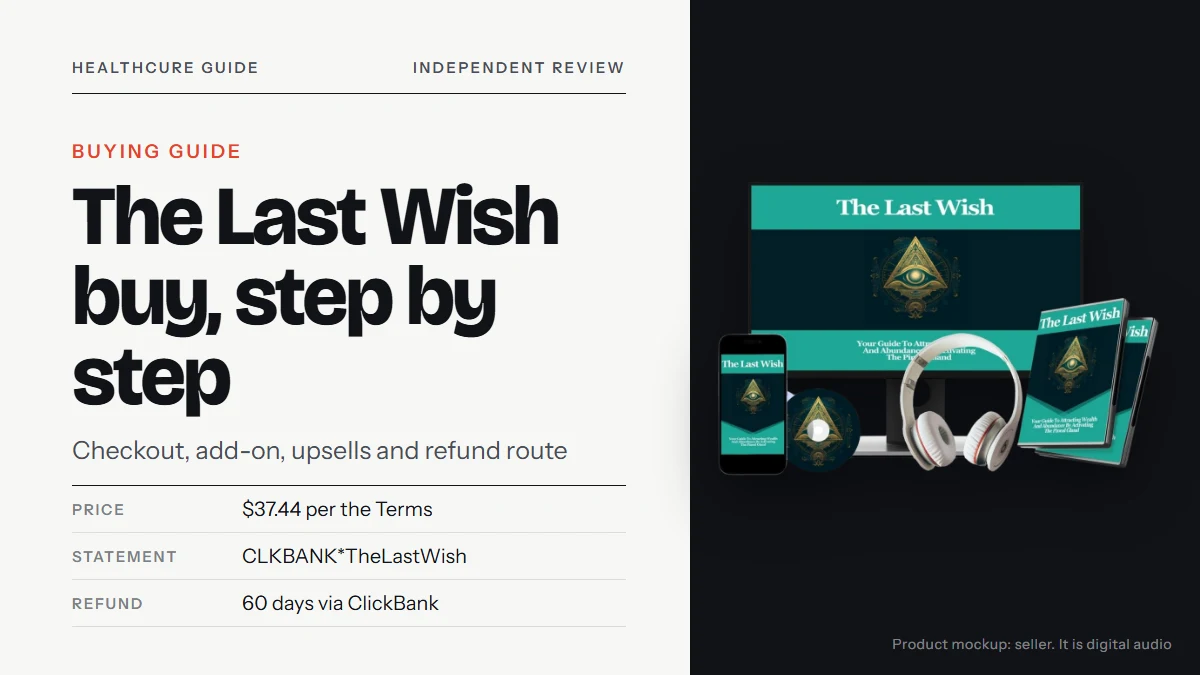
| Price in the Terms | $37.44, one-time |
| Reference price | Normally $309.77, not verified |
| Video page price | Today Only: 37.11 |
| Checkout (India test) | 4,039.62 plus 727.13 tax, total 4,766.75 |
| Subscription | None shown at checkout |
Do the sum before you pay. If the total in your currency is more than you can comfortably spend, that is your answer, whatever the page says about being “next to nothing.”
Step 4: The optional add-on with two names
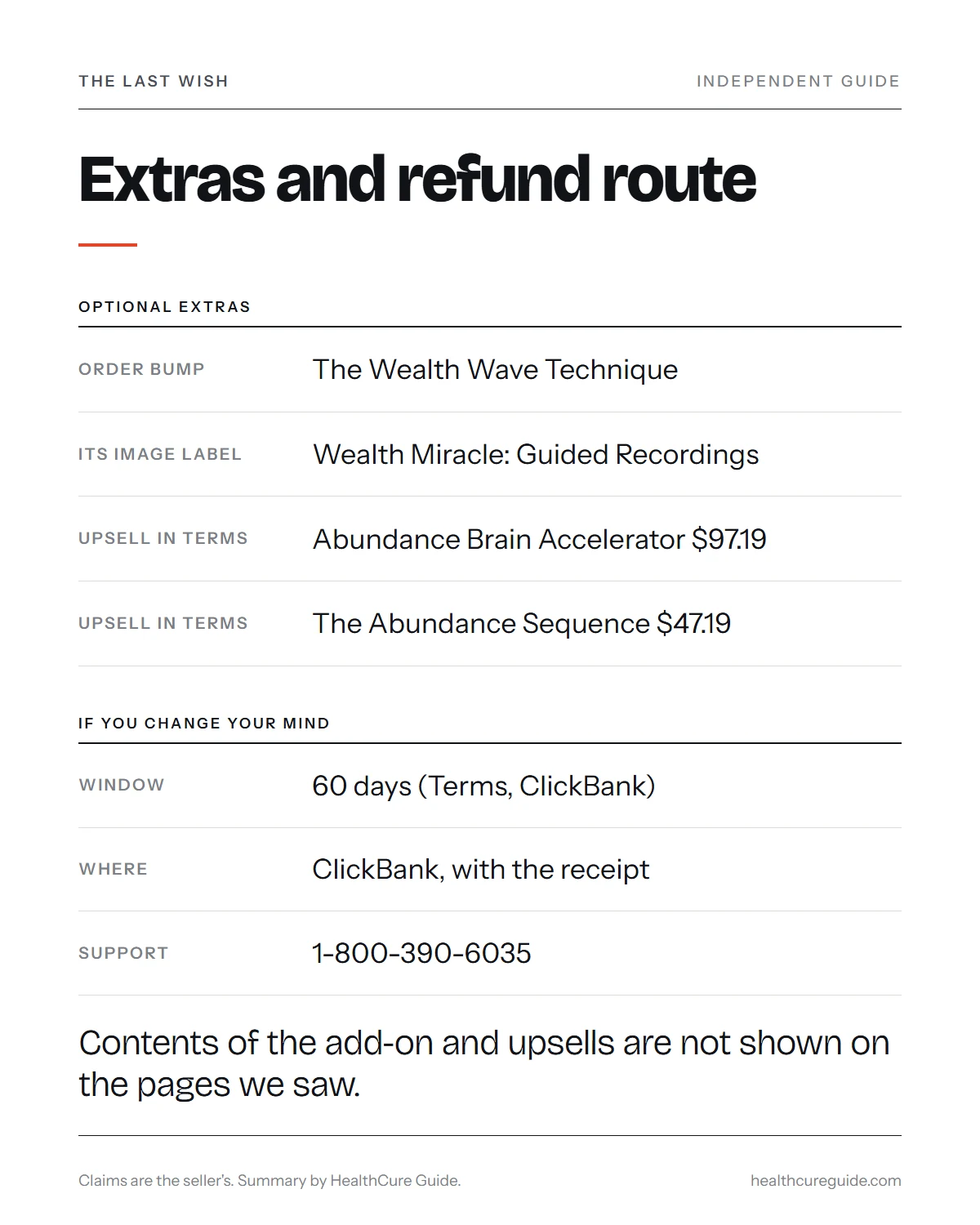
Under Recommended for You, the checkout offers a digital product called The Wealth Wave Technique. From India it was priced at 1,390.78 rupees. We could not confirm the USD price.
Look closely at the picture next to it. The image is labeled “Wealth Miracle: The Guided Recordings,” a different name from the one in the offer line. The add-on’s contents are not described anywhere we could read. Because it is optional and is not part of the $37.44 offer, you are free to leave it out. If you do add it, check that your total changes by the amount you expect, and look for it on your receipt.
Paying from outside the United States
The checkout lists many countries, including the United States, United Kingdom, Canada, Australia, India and most of Europe. If you pay with a card issued in a different currency from the one shown, your bank may add its own exchange margin or a foreign-transaction fee, and that sits on top of the checkout total.
Practical tips:
- Choose the country that matches your billing address, since the tax shown depends on the country.
- Compare the total shown with the amount your bank later posts.
- If PayPal is offered for your country, check which currency it will charge before you confirm.
- Keep the receipt, since a refund request quotes the original amount and date.
Conversion and bank fees do not change the product. They only mean the number on your card statement may not equal $37.44, and that is common for an item priced in dollars.
Step 5: After you press Pay Now
Two things can happen next. First, access: the checkout says digital products are available once payment is approved. We could not see what that looks like, so look for the confirmation email and check your spam folder.
Second, more offers. In the Terms of Sale you will find two further products with prices attached: The Abundance Brain Accelerator at $97.19, and a second, The Abundance Sequence, at $47.19. No page we could open shows what either one contains. If an extra offer appears after checkout, treat it as a new purchase with its own price. You can decline without losing what you bought. Read each screen before clicking, because a single button press may add a charge.
If the access email does not arrive
The checkout promises access once payment is approved, but we could not see what arrives or when. If your inbox is empty after a few minutes:
- Check spam, promotions and any filter folders for a message about The Last Wish.
- Confirm the email address you typed at checkout. A typo is the most common cause.
- Look for a ClickBank receipt, which is separate from any product email.
- Contact ClickBank order support (1-800-390-6035 or clkbank.com) with the order number.
- For questions about the files, write to the product address in the Terms, [email protected].
Do not buy a second time to “fix” a missing email. Ask first, and keep every message.
Step 6: Receipt, statement and email lists
Save the confirmation and the ClickBank receipt, because they carry the order number you need for any refund request. The charge should appear on your statement as CLKBANK*TheLastWish.
The Terms also say buyers may be subscribed automatically to the seller’s email lists. Some emails may feature related topics, including third-party offers, and each one contains an unsubscribe link. Treat those emails like any other sales email and check any new price before you click.
Refunds: where to ask and when
Go by 60 days. ClickBank offers a return or replacement for products up to 60 days after purchase, according to the checkout, and the seller’s Terms use the same figure. Ask through ClickBank, with your receipt, rather than through a footer page.
You may also spot a 365-day badge on the sales pages, with no wording behind it. The video page footer opens a separate domain, abundant-life.co, whose terms allow 90 days but demand proof of use. Neither matches the Terms, so do not count on them.
Quick pre-payment checklist
Run through this just before you press Pay Now:
- The item reads The Last Wish, Digital Product.
- The total, in my currency and with tax, is an amount I can lose without hardship.
- The add-on is either chosen on purpose or left out on purpose.
- I know the refund window is 60 days and I have put the date in my calendar.
- I have decided in advance to decline any extra offers after payment.
Before you pay: the honest check
The Terms say the content is “For Entertainment Purposes Only.” Manifestation outcomes are not evidence-based. Where studies exist, they favor planning: picture the steps, contrast the goal with the obstacle and write an if-then plan. They do not show wishes causing money.
Sales copy also points to Harvard and the University of Michigan, yet the page names no study. The video also tells money stories (a large single-day commission, a tax refund, a scratch-off prize), which are unverified seller stories. The narrator, who calls himself Danny Kelly, may be using a pen name, and the Terms add that some scenarios may be dramatized. The priest and Vatican parchment story he tells cannot be verified.
Money comes first. Do not spend rent or bill money on a product that promises abundance. If you are in money trouble, start with a written budget and talk to a nonprofit debt or credit counselor. Respect for anyone’s faith is no reason to skip the evidence check.
Common questions
How much will I actually be charged for The Last Wish at checkout?
The Terms of Sale say $37.44 for The Last Wish. The checkout shows your own currency with tax added: from India it showed 4,039.62 rupees plus 727.13 tax, a total of 4,766.75. Your total will differ by country and bank rate. It is a one-time payment, and we saw no subscription at checkout.
Which payment methods does the checkout offer?
The page we saw lists PayPal and credit card, with Visa and Mastercard logos, plus a country list and a postal code field. Payment is handled on ClickBank's secure checkout, not on the seller's own website. The page also asks for an email address so it can send an order confirmation.
What is the optional add-on at checkout?
Under Recommended for You, the checkout offers The Wealth Wave Technique, a digital product shown from India at 1,390.78 rupees. Its picture is labeled Wealth Miracle: The Guided Recordings, a different name. Its contents are not described, so you have little to judge it by. It is optional and not part of the 37.44 price.
What are The Abundance Brain Accelerator and The Abundance Sequence?
The Terms of Sale name them as products you could agree to pay for: $97.19 and $47.19. We could not reach any page describing their contents, so we cannot say what they are. Extra offers may follow your checkout, and they are optional. You can decline them and keep only The Last Wish.
Do I get the recordings immediately after paying?
The checkout says access to digital products is available once payment is approved. The pages do not say whether this means a download link, an emailed file or a members area. Check your inbox and spam folder for the order confirmation, and contact ClickBank if nothing arrives.
What will the charge look like on my bank statement?
The checkout states the purchase will appear as CLKBANK*TheLastWish. If you also add an extra product, ask ClickBank whether it appears as a separate line. If a charge shows that you do not recognize, call ClickBank's order support on 1-800-390-6035 before assuming the worst.
Can I cancel after I pay?
There is nothing to cancel because the product is a one-time purchase, but you can ask for a refund. ClickBank allows return or replacement within 60 days, and the seller's Terms also say 60. Request it through ClickBank with your receipt. Other pages mention longer windows with conditions, so do not wait.