Where to Buy Water Freedom System: The Official Order Page
The order happens in one place. This page explains why, how the two options differ at checkout and which records to keep once the payment clears.
- Written by
- HealthCure Guide Editorial Team
- Reviewed by
- HealthCure Guide Editorial Team
- Updated
- Reading time
- 6 min read
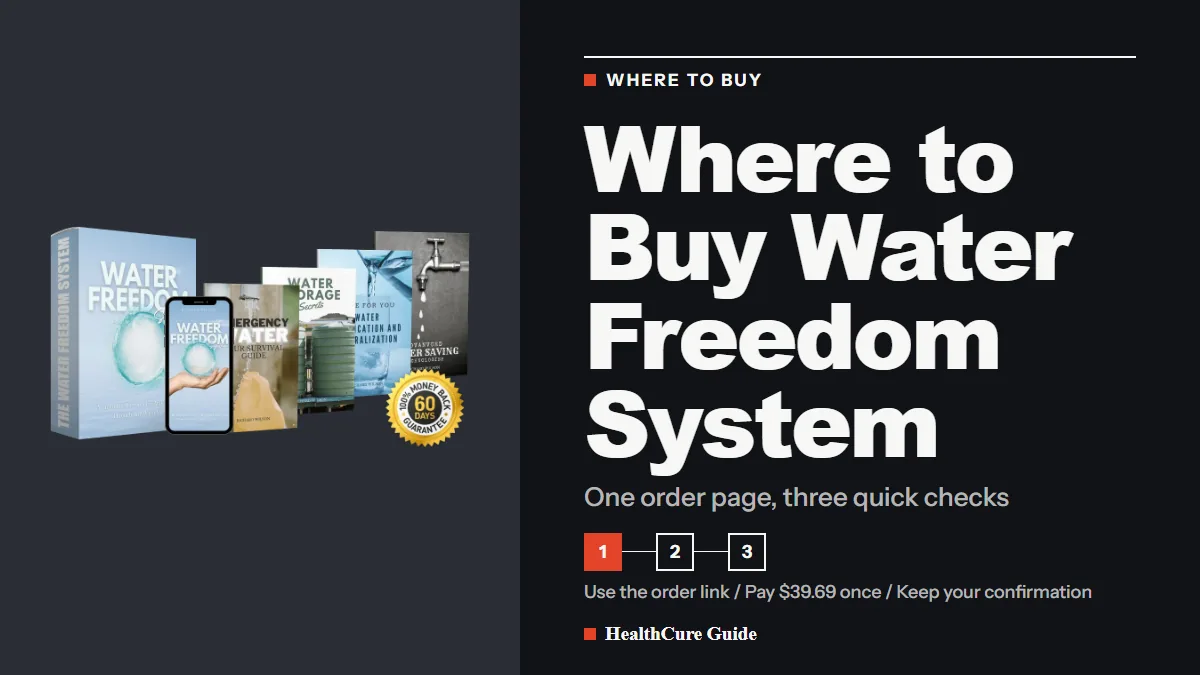
Knowing where to buy Water Freedom System removes most of the guesswork. The order happens on the official order page, opened from our buttons, and that page hands you to ClickBank’s checkout. Marketplace listings and file-sharing pages fall outside the seller’s terms, so the route you take matters as much as the figure.
This page walks the path step by step, covering the two checkout choices, why we point away from other sellers and which records to keep. Price and refunds live on their own pages. For the complete picture, start at the hub.
Where to buy Water Freedom System, in order
- Start from a button on this site rather than a search result, since search results can lead to copies.
- Compare the two options before entering details: digital at $39.69 in one payment, or the printed book at $39.69 plus $9.95 for shipping, available to US addresses.
- Choose the option that fits how you read and where you live. The digital guide opens as soon as payment clears. The printed book waits for processing and postal transit.
- Complete checkout. ClickBank processes the sale, so the card line may read CLKBANK*WaterFreedom rather than the seller’s name.
- File the ClickBank confirmation email in a labeled folder, since the order number lives there.
- For payment questions, ClickBank order support is at clkbank.com.
Following these steps in order keeps the record tidy. If a page asks you to pay through a different site, stop and return to the order page through one of our buttons.
Before you open the order page
A little preparation keeps checkout calm. Choose which format you want before you click, because switching later means reading the order page again. Confirm that the screen you plan to read on handles PDF files and video playback, since the digital guide relies on both. If you want paper, check that your address is in the United States, because the printed route is limited to US delivery.
Have a note ready with the name you want on the order and the email address you will use for every message about it. Those two details appear on the confirmation, and they are what the seller uses to find your purchase later.
Choosing between the digital guide and the printed book
The digital guide suits someone who wants immediate access and owns a PDF-and-video capable screen. Access starts after payment, and nothing is posted to you. The printed book suits a reader who prefers pages on a desk. It is limited to US delivery, carries a shipping and handling charge and is not refunded on that charge if you return it.
Neither option is a shortcut around the other. The seller’s guide sits behind both, so the question is how you prefer to read and whether you are content with the shipping charge and the wait for paper.
If you are torn between the two formats, a short check of your habits helps. How often do you read on a screen, and how often do you return to a paper page? Frequent screen readers rarely need paper, while people who study with a pen beside them often value the printed copy. Either answer is reasonable, and neither changes the price of the guide itself.
Reading the checkout screen
If the screen asks for information beyond your name, your email and your payment details, pause and check the page again. A standard order does not need a date of birth or a government number. Stop if a form seems to ask for more than a purchase requires, and return to the start through one of our buttons.
Checkout screens change, so read each one as it appears rather than trusting a memory of the last visit. Look for the product name, the option you picked, the amount, and any shipping line that appears when you choose paper. The amount for the digital guide should match $39.69 with no extra line, and the printed route should show the $9.95 shipping and handling charge on top.
If a screen shows an add-on, a second product or a different figure, pause. Compare it with the numbers on this page and with the order page you started from. Return to the start if anything does not match, rather than working through the form under pressure.
Common mistakes at checkout
The most frequent mistake is ordering the printed book when the digital guide was the intention, or the reverse. The second is entering a different name from the one you intend to use for support. The third is closing the confirmation page before noting the order number, which is simple to do when the screen moves on quickly. A printed copy or a screenshot of the confirmation email solves all three.
Another common slip is buying from a listing that looks like the seller’s page but is not. A lookalike may use similar wording and colors, so check the address bar and the product name before you enter any card details. One more slip is leaving the checkout to look up an address or a figure in another tab, then returning to find the form has reset. If that happens, start again from the button rather than retyping into a half-finished screen.
Why other sellers are a risk to your order
Marketplace listings and file-sharing pages can offer copies, bundles or resold versions of this guide. Those listings fall outside the refund terms, which apply only to purchases made on the seller’s own order page. If a listing advertises a lower figure or a bonus pack, check it against the official page first and rely on what that page displays.
We would rather you pay the proper route than chase a lower figure through a copy you cannot check. A refund request is far simpler when the order sits on the seller’s own page.
Two quick checks before payment
Before you pay, confirm two things on the screen in front of you. First, the product name should match the guide described on this site. Second, the option should match the one you chose, digital or printed. If either check fails, leave the checkout and start again through one of our buttons. The few minutes this takes are worth more than a correction after the payment clears, when the order details are already set. Take a screenshot of the screen once both checks pass, so you have a record of the product name and the amount as they appeared. A screenshot does not replace the confirmation email, but it helps if a later question turns on what the screen said.
What to check after you pay
After payment, read the Beginner Quick-Start Guide before any work, since the seller presents it as the project walkthrough. Whatever a home unit produces should be treated or tested before drinking, and performance follows humidity and temperature, so one first run is not a verdict. Keep electrical safety at the top of your checklist for any powered part, and plan for local rules and qualified help before any wiring.
The price page lays out the figures line by line. Want to verify the seller’s pages first? The official website guide shows how to spot lookalikes, and the legitimacy checklist covers the contact routes and terms.
Who should order now and who should wait
Order now if you have already gone through the price and refund pages, you have a device that opens PDF files and plays video, and you know which format you want. Waiting makes sense if one of those three is missing. Read the refund route first if you are unsure about the guarantee, and check your device if you are not sure it will play the clips. There is no reason to rush a purchase you have not read through, and there is no benefit to waiting once those three points are settled.
A helpful habit: note the purchase date and chosen option beside your order number. If you later need to contact the seller or ClickBank, that single note answers the first two questions they will ask, and it saves a search through your inbox at the moment you are least patient with it. Keep that note with the confirmation email rather than in a separate app, so that both live in the same place. When a question comes up months later, you will know where to look without rebuilding the trail from memory.
Your order, in one sentence
Buy only on the official order page, pick the digital guide or the printed book with shipping in mind, and file the ClickBank confirmation with your order number. That is the whole purchase path, and it is the same path whichever option you choose.
Our catalog’s where-to-buy page condenses this path, and the hub indexes every page.
Common questions
Where should I buy Water Freedom System?
Only through the official order page, reached from our buttons. That page hands you to ClickBank's checkout for the seller's guide.
Can I buy it on a marketplace?
We advise against it. Listings on marketplaces or file-sharing pages sit outside the seller's terms, and the seller's guarantee covers the purchase made on its order page.
What is the difference between the two options?
The digital guide is $39.69 in one payment with instant access. The printed book costs $39.69 plus $9.95 shipping and handling and is for US addresses only.
What name will appear on my card statement?
The seller's own pages say the statement line reads CLKBANK*WaterFreedom, because ClickBank handles the sale.
What do I keep after I pay?
Keep the ClickBank confirmation email. It carries the order number and name you will need for support or for a refund request.