My Shed Plans Complaints: Common Buyer Questions, Answered
No invented grievances here. Just the practical questions careful shoppers raise before ordering, with a plain answer and a handling step for each.
- Written by
- HealthCure Guide Editorial Team
- Reviewed by
- HealthCure Guide Editorial Team
- Updated
- Reading time
- 6 min read
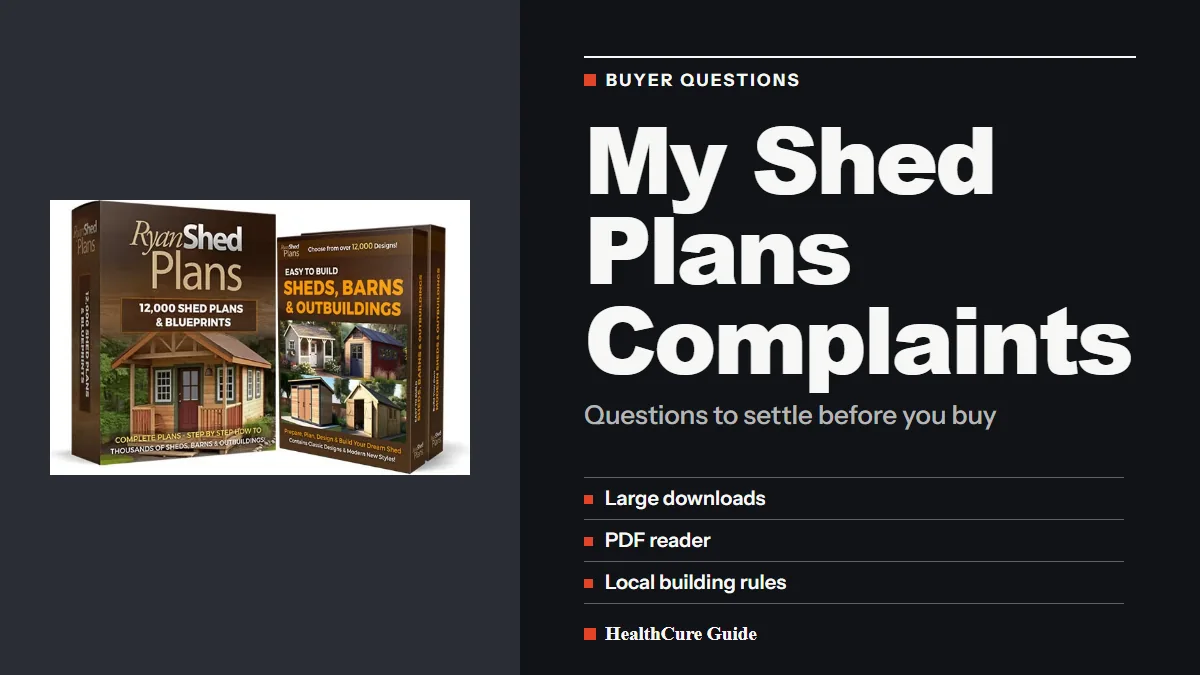
Searching for My Shed Plans complaints is a sensible step before you spend money on a plan library. Asking pointed questions before paying usually leads to a steadier purchase. We gathered the concerns that recur for products of this kind and compared each one with what the seller publishes. No grievance below is made up, and none is quoted unless we could confirm it. Each practical concern is paired with a handling step.
Weighing the product? Our full review of My Shed Plans covers the library in detail, and the hub page lists the core facts. This page keeps to the concerns that come up most often.
My Shed Plans complaints: what shoppers actually ask
Most questions fall into five groups: the size of the download, the reader needed to open the files, the local rules that sit outside any plan, how support works and what happens if the purchase does not suit you. Each group has a plain answer and a practical step you can take. None of them is a reason to avoid the product by itself, but each one is worth settling before you pay.
Are the downloads too large?
Per the seller, the designs come in compressed PDF bundles, and those zip files are large and can take a while to download. That is disclosed openly rather than buried in the fine print. Plan for a slow first transfer, especially on a weak connection or a mobile hotspot.
Handling this is straightforward. Begin the transfer when you have time and a steady connection, then store the archive safely once it lands. If the download stops partway, check whether your archive tool offers a resume option, since many do. Unzip the files into a dedicated folder, so the sheets for each project sit together. Remember that archives expand once extracted, so keep spare space on the drive you use. A heavy file is an inconvenience, not a defect, and light planning takes most of the sting out of it.
Do I need a special program to open the plans?
Yes, a PDF viewer is required. The seller’s help material names a free Adobe reader and points to its search feature, which helps you find a part name inside a long file. Any free viewer with search may serve you well, though the seller’s wording points to Adobe.
If you have never opened a multi-page drawing before, practice on a single plan first. Learn where the materials list sits, how the cutting list is set out and how to print one page at a time. Then open the sample sheet, search for a word such as materials, and print one page to check the output. If that printout looks right, the rest of the library should follow the same pattern. That habit saves paper and keeps the original file clean.
How does support work?
Help arrives through written tickets, not a phone call. Per the seller, staff answer on weekdays, so timing your question matters. A concise ticket with your order details tends to get a crisper answer, and it leaves a neat trail you can refer back to.
If you have a question before you buy, use the ticket route early. Ask about the layout of the materials lists, what the zip archive contains or how the optional disc works. A clear answer in writing gives you something to point to later.
This is a real limitation for anyone who likes to talk a problem through by phone. If that matters to you, weigh it before ordering. Many shoppers are happy with written support, but the route is different from a call center, and it is fair to say so.
Permits and local rules are on you
This is the concern that matters most for a physical build, and it is not really a complaint about the plans. A drawing does not replace the paperwork your town requires. Size limits, setbacks from the property line, foundation rules and permit thresholds all vary by location, and a plan cannot settle them for you.
Ask your local office which rules govern your lot before you buy materials. Some towns publish their shed rules online, while others need a visit to the planning desk. Ask in person or by email, and write down the reply. A note of who said what can save a lot of back-and-forth if an inspector later asks about your plan. Dial the US utility locator number, 811, ahead of any excavation so buried lines get marked. Keep each tool’s instruction booklet close, wear ear and eye guards, and recruit someone to hold up wall frames and roof sections. No drawing exempts a shed from the rules where you live.
Our safety guide sets out the build checks in more detail.
What if the plans do not suit my project?
Refund cover of sixty days applies to the purchase. If the library misses the mark for your project, open a ticket with the seller’s help desk, include your order details and hold onto the confirmation email. ClickBank, as the retailer, provides order support if the desk cannot resolve the matter.
Prevention is the cheapest fix. Before you buy, measure the footprint your yard allows and compare it with the sizes and roof styles on offer, so you can check the fit before you ask anything of the guarantee.
Refund cover returns the library price only. It does not reach lumber, fixings or permit fees. Keeping building spend apart from the library payment until you are satisfied with the drawings is a sensible habit. For the refund steps in order, see our refund walkthrough.
How each concern is handled
In brief: schedule the transfer and unzip into a folder, install a free PDF viewer with search before you order, confirm local rules and call 811 before any digging, write clear tickets on weekdays, and rely on the sixty-day refund cover if the fit is poor. Each step is quick, and each one protects a different part of the purchase.
None of these steps needs special skill. They are the same checks any careful shopper runs before buying a digital product, and they keep the purchase on solid footing.
Our view on complaints
We hold no list of confirmed buyer complaints, and we will not invent one to make the page look evenly balanced. What we can say is that each concern above is concrete: the download size, the reader, the local rules, the support route and the refund route. Each has a direct fix, and most get settled before checkout. A concern is a question you can answer yourself, and this page treats every item that way. If a complaint you read elsewhere names a specific problem, ask whether you can settle it before ordering. Many can be. Those that depend on the seller’s own service are worth raising with the help desk, so you have an answer in writing before you spend money.
The seller’s claims, such as the plan count and the custom drafting promise, are the seller’s own. Treat them as claims, and ask the help desk about any detail that matters to your project. The hub page keeps the core facts in one place if you want to compare them.
Keep your build safe
Before any cut, read the plan’s materials list, confirm the local rules and check the site for buried lines. Work with a helper for heavy parts, and keep children and pets clear of the work area. A shed is a structure, and a sensible build plan protects you as much as the library protects your budget.
Build days go better with a plan for the basics. Clear the site, mark the footprint with string and stakes once your town’s rules are confirmed, and check the ground for slope before you set any base. These steps are routine, yet skipping them is how small mistakes grow into expensive ones.
Our PDF page covers opening and printing the files, which eases the download worry. To review the order route first, read through each step of the purchase before you pay, and keep a copy of every message the help desk sends you.
Common questions
Are there verified complaints about My Shed Plans?
We have not found or confirmed a complaint we could verify, so none is quoted here. The questions below are the ones careful shoppers tend to raise.
How long does the download take?
The seller warns that its zip files are large and can take a while to download. Plan for a slow first transfer.
Do I need a special program to open the plans?
You need a free PDF reader. Adobe Acrobat Reader is one free option, and it handles the PDF search the library uses.
How do I get help after I buy?
Use the seller's ticket forms during weekday hours. The page we read lists no phone line.
What if I want my money back?
The purchase carries a 60-day money-back guarantee. Contact the help desk with your order details and keep your confirmation email.
Do the plans meet building codes?
No plan promises code compliance. Check your local permit, size limit, setback and foundation rules before you build.