My Shed Plans Official Website: How to Reach the Real Order Page
The genuine order page is easy to reach once you know what to look for. Here is a short walk through the seller's site, the branding and the lookalikes to skip.
- Written by
- HealthCure Guide Editorial Team
- Reviewed by
- HealthCure Guide Editorial Team
- Updated
- Reading time
- 6 min read
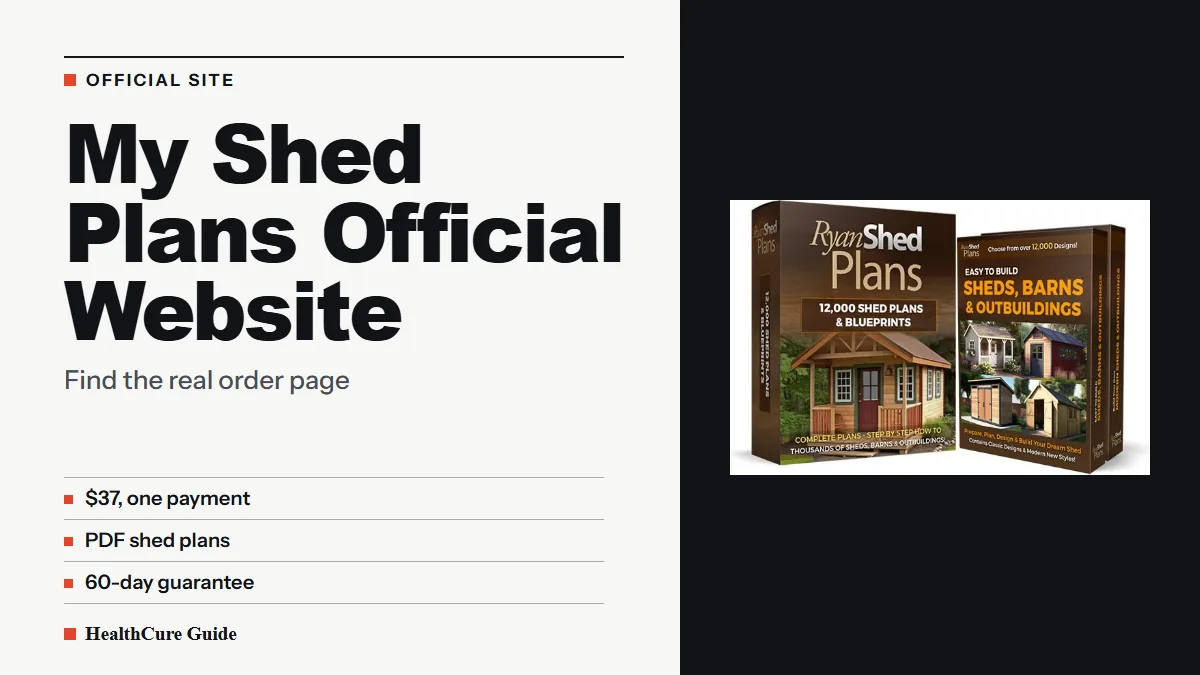
Finding the My Shed Plans official website should take less than a minute, yet many searches return copies, forums and pages that look like the real thing. If you want the genuine order page, you need a short mental checklist and a clear idea of what the seller’s site shows. This guide walks you through the route in three screens, then covers the lookalikes that waste a good evening.
The seller’s site is myshedplans.com, and you can type that address into your browser yourself. The page, logo and box, however, use the brand RyanShedPlans, and the author is credited as Ryan Henderson. Expect to see that name on the screen, even though this site calls the product My Shed Plans.
Three screens on the way to the order page
Screen one: the seller’s home page. This is the front of the product. You should see a headline about a large library of shed plans, a count the seller attributes to itself, and images of product boxes and a members-area mockup. The page names a single $37 payment, and it links to a money-back guarantee. If you land on a page that promises something very different, close it.
Screen two: the description. Scroll through the seller’s text. It describes materials lists, cutting lists with tools, step-by-step instructions, 3D views and roof styles. It mentions a custom plan request and a zip-file delivery of PDFs. The language is the seller’s own, so read it as their description rather than an independent check.
Screen three: the order buttons. The buttons on the seller’s page lead to a ClickBank checkout. ClickBank is the retailer, so the payment screen should name it. Confirm the total reads $37 for the library before you enter any details.
The branding you will see
The logo and packaging carry a different name from the one on this page, and the footer varies the wording again. That is the same product, so do not let the wording stop you. What matters is the route: the seller’s site, the ClickBank order and the seller’s support desk should all point to one product.
If you have read other pages with a slightly different spelling or word order, that alone does not make them fake. Compare the features that count, namely the seller’s site, the single payment and the help desk, before you rely on any name.
On this page we keep the name My Shed Plans because that is the name you will search for. When you compare pages, look for the library description, the single price and the guarantee. Those three details help you match the product even when the wording of the name changes.
What the official site should show
Use this list as a yardstick when you arrive on any page that claims to be the seller’s site. The My Shed Plans hub sets out the same core facts in short form, so you can compare them side by side.
- A description of a shed plan library, with materials lists, cutting lists and drawings for several roof types
- One payment of $37 for the library, with no monthly fee on the page
- A mention of an optional PC DVD-ROM copy, offered at checkout, with no price shown on the page we read
- A 60-day money-back guarantee, with a route to the help desk
- A support area with ticket forms rather than a phone number
- A note that the plans are digital files, delivered as zip archives of PDFs
Missing several of these is a sign to slow down. A detail that is absent from one page may simply sit on another, so check the rest of the seller’s site before drawing a conclusion. A real page can change its wording, but a page that drops the price, the guarantee and the support route together is not the seller’s site.
The lookalikes to skip
Copycat pages are the most common trap. Some imitate the design of the sales page and send you to an unrelated checkout. Others sit on file-sharing or download sites and promise the whole library at no cost. Neither is the members area, and neither carries the seller’s guarantee or support desk.
Watch the address bar. A domain with an extra word, a swapped letter or an unfamiliar ending is a red warning, even when the page looks polished. A page that arrived by an advert or an unexpected email should be treated with suspicion until you have reached the seller’s site yourself.
How to check a page in two minutes
Take your time on each screen. Pages can load in pieces, and a button may appear before the text beneath it has finished. Wait for the full page, then read the description before you go near the order button. A page that asks for details before it shows you the product is asking you to skip the reading, which is worth a second look.
Search results can mislead as well. A paid advert at the top of a results page may lead to a sales page that is not the seller’s site. Treat any link from a results page as a route to check, not a route to trust, and compare its address with the one you typed yourself.
Open a fresh browser tab, type the seller’s address by hand and compare what loads with the three screens above. If the page matches, follow its order button. If it does not match, close it and return to our button on this site.
Next, check the checkout screen. It should name ClickBank as the retailer, show $37 for the library and list any optional disc separately. If the total or the retailer is different, stop and contact the seller’s help desk before you pay.
Once you have the order page open, bookmark the seller’s real address in your browser. A bookmark skips the search step next time, and you will not need to trust a link from an old email when you return for support.
Save the confirmation email once the order is complete, and keep it with the rest of your receipts. It carries the details you will need if you ever contact support. Keep the confirmation, the order number and any help desk replies in one folder, so a single search finds the whole record.
Why the official site matters after the sale
The genuine site is also where support lives. The seller’s help desk takes ticket requests on weekday hours, and the refund route runs through it. A copy of the product will not have that desk, so you could be left with a payment and no one to answer.
The guarantee is a 60-day money-back guarantee, which the seller states on its own pages. To use it, write to the help desk through the ticket form and quote your order details. ClickBank order support is the second route, because ClickBank is the retailer.
The official route also gives you an accurate picture of the plans. The seller says the library holds about 12,000 plans by its own count, and the zip files of PDFs need a free PDF reader. Those are claims and facts you can only confirm on the genuine product.
For the complete picture of the purchase, read our price breakdown. The hub page gathers the other core facts, our legitimacy checklist walks through the safety checks in order, and our where to buy guide explains the order route from first click to finish.
What to do if the page looks wrong
If anything on screen differs from this guide, pause before you enter payment details. Take a screenshot of the address bar and the page, then contact the seller’s help desk through the ticket form on the genuine site. Describe what you saw and ask whether the page is official. Keep the message short: name the product, quote the order number, say what you need and attach only what the help desk asks for. A calm, specific ticket usually gets a clearer answer than a long complaint, and it leaves a tidy record in your folder.
If you have already paid through a page you doubt, contact ClickBank order support straight away, quote the order details and explain what happened. Acting quickly gives you the best chance of resolving the matter. Our official website product guide lists the same checks in catalog form, so you can keep it open while you work through the steps.
Use the official route, keep your records and read each screen before you act. The genuine order page is simple to reach once you know its shape, and that simplicity is your best protection against lookalikes.
Common questions
What is the My Shed Plans official website?
The seller's site, which is myshedplans.com as plain text. Its order buttons lead to a ClickBank checkout for one payment of $37.
Is the order page the same as the seller's site?
The order buttons lead to a checkout run by ClickBank, the retailer. Begin from the seller's site or from our button to reach it.
What does the official site promise about refunds?
A 60-day money-back guarantee. Contact the seller's help desk through its ticket form with your order details.
Are free copies on other sites the real library?
No. Copies offered for free elsewhere are not the members area, and they carry no seller support or guarantee.