Teds Woodworking Bonuses: Viewer, Videos and Guides
The three extras the seller lists with the order, how each one helps a real project and where each one fits into the plan library, with no values attached.
- Written by
- HealthCure Guide Editorial Team
- Reviewed by
- HealthCure Guide Editorial Team
- Updated
- Reading time
- 7 min read

Buyers of a plan library usually want the plans first and the extras second. The Teds Woodworking bonuses deserve a closer look anyway, because each one answers a different question that comes up halfway through a build. The seller lists three of them with the order: a viewer for DWG drawings, a set of video lessons and a shelf of written guides. Together they sit alongside the plan library for the one payment of $67.


The Teds Woodworking bonuses, in the order you will meet them
The first bonus is a viewer, the second is a video set and the third is a guide. Each one lines up with a stage of a project. The viewer comes into play when a drawing arrives as a DWG file. The videos help when a joint looks simple on paper and tricky in practice. The guides explain the techniques a plan takes for granted, such as a dovetail, which many first-time builders have never cut.
None of the three is a separate project. Think of them as support material that makes the plans easier to follow, and treat them as part of the order rather than a second product with its own checkout.
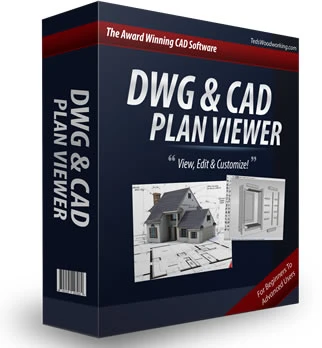
The DWG/CAD Plan Viewer for DWG files
The DWG/CAD Plan Viewer is software that opens DWG drawings. The seller describes it as a tool to open, edit and create plans. That last part matters if you want to adjust a dimension to suit a board you already own, or redraw a small detail for a shelf that needs to be a few inches wider.
Install the viewer before you open your first DWG file. The Teds Woodworking hub shows where the viewer sits among the other pages. Once it is in place, a drawing that looked like a locked box becomes a set of lines you can measure and change. PDF files need only a free reader, so the viewer is specifically for the drawing format.
If you already own CAD software, the viewer is still worth a look. It saves you from setting up a second program just to read a plan the seller has supplied in that format.
150 Premium Videos for the cut you are unsure about
The seller says the video set holds over 150 premium woodworking videos, with step-by-step lessons hosted by experienced woodworkers. The practical use is simple. When a written step says to cut a half-lap or fit a mortise, a short clip showing the hand position can save an afternoon of guessing.
Watch a video before the cut, not during it. Pause, rewind and match the motion to the drawing. A lesson gives you a demonstration of technique, but the plan still tells you the dimensions for your own project. Keep the two in their places.
Videos also suit a reader who learns best by watching. If you always read a manual twice and still feel unsure, a visual lesson can close the gap quickly, and then the written plan does the rest.
Complete Woodworking Guides for the techniques behind a plan
The third bonus is a set of written guides that the seller says run over 200 pages. The seller lists hand tools and joints, including the dovetail, among the subjects. These guides suit the stage where a plan asks for a skill you have not yet practised, and you want a clear written explanation before you touch the wood.
Use the guides as a reference rather than a novel. Skim the contents first, so you know which chapters cover hand tools and which cover joints, and set the rest aside until a plan sends you there. Read the chapter that matches the joint on your current plan, mark the page and come back to it when you reach that step. A bookmark in a long guide turns it into a working tool rather than something you read once and forget.
Our what’s included page describes the library and the bonuses together, if you want a full inventory before you order.
Matching each bonus to a real project
Suppose you pick a bookshelf plan from the library. You download the PDF and read the materials list. If the drawing also comes as a DWG file, the viewer lets you check the shelf depth against the width of the plywood you can buy locally. When you reach the joint that holds the shelf to the side panel, a video shows the hand position, and a guide chapter explains the joint in plain terms.
Now take on a larger job, such as a garden bench. The plan may call for a joint you have never cut in a damp outdoor setting. The guides explain the method, the videos show the motion, and the library gives you the cut list. Each bonus covers a different gap, and that is the clearest way to see why all three sit in the same order.
Which bonus to open first
Start with the viewer if your first plan comes as a DWG file, because nothing else in the set helps until you can open that drawing. Start with the videos if your first build relies on a joint you have never cut, and watch the lesson before you mark a single line on the wood. Start with the guides if you prefer reading to watching, or if you want to understand the reasoning behind a joint before you see someone else make it.
Most readers will end up using all three, but the order matters in the first week. A viewer you never open is wasted space, and a video you watch too late can leave you rushing a cut. Match the first bonus to the first plan, then let the second and third arrive when the project asks for them.
A simple routine helps. Read the cut list, note any joint you do not recognise and then look for that joint in the guides or the videos. That habit turns the bonuses into a reference you consult while building, instead of three files you may never open.
Bonus limits to keep in mind
The bonuses support the plans; they do not replace the plans, and they do not replace your local building rules. The plans are not made to meet any building code, so check with your local building department before you start a shed, a deck or any structure that people will stand on or under. The videos show technique, and they cannot check the quality of the wood you buy.
Follow each tool’s manual, wear eye and hearing protection and take the time to set up your workspace before a session. A beginner label on a plan describes its difficulty, and it is not a safety guarantee.
How the bonuses arrive with your order
The bonuses sit in the members area beside the plans. You sign in, open the bonus section and download what you need, in the same way you download a plan. The seller lists the three names and descriptions only, and the order page is the place to confirm what your checkout shows.
If the members area does not show the bonuses where you expect, sign in again from the official order page rather than from an old bookmark. A fresh sign-in is the simplest first check, and it keeps you on the same route your order came through. Keep a copy of the confirmation email, because it holds the order details if you need to reach the seller about any part of the order. The 60-day money-back guarantee applies to the order as a whole, so the bonuses are covered along with the plan library. Our price post explains how the single payment is laid out, and our what is Teds Woodworking guide shows where the bonuses sit in the library.
Good to know
The bonuses are listed by the seller, and this page does not attach a figure or a separate price to any of them. If the order page shows a different set of items, the order page controls what you receive. Read it before you confirm. The Teds Woodworking hub links to every page in this set, including the review.
Common questions
How many bonuses come with Teds Woodworking?
Three. The seller names them as the DWG/CAD Plan Viewer, 150 Premium Videos and Complete Woodworking Guides.
Do the bonuses cost extra?
The seller lists them with the order and gives names and descriptions only. We do not attach a figure or a separate price to any of them.
Why do I need the DWG viewer?
DWG drawings are CAD files, and the viewer is the software the seller provides to open, edit and create them.
How long are the guides?
The seller says the Complete Woodworking Guides run over 200 pages and cover hand tools and joints such as the dovetail.
Are the videos step by step?
The seller describes them as step-by-step video lessons, over 150 of them, hosted by experienced woodworkers.