Teds Woodworking Money Back Guarantee: How to Ask for a Refund
What the 60-day money-back guarantee covers, how to make a clear refund request, what the seller says about timing and where ClickBank support fits in.
- Written by
- HealthCure Guide Editorial Team
- Reviewed by
- HealthCure Guide Editorial Team
- Updated
- Reading time
- 7 min read
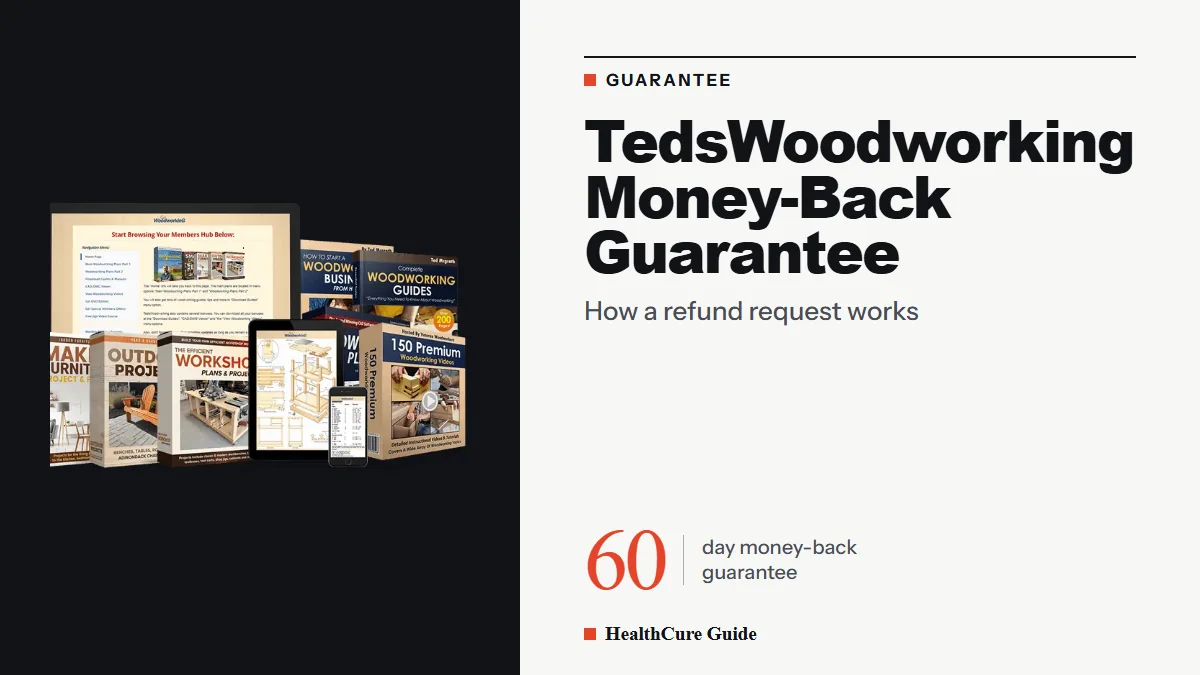
A plan library is an unusual purchase, because you cannot see the whole catalog until you have paid. That is why the Teds Woodworking money back guarantee matters so much. It offers a defined way to request money back inside a fixed window, and it lets you look around the members area with a written promise behind your order. This page explains what the guarantee covers, how to make a request that is easy to handle and where ClickBank fits in. The Teds Woodworking hub is the starting point for the rest of the set.
Teds Woodworking money back guarantee: what it covers
The seller offers a 60-day money-back guarantee on the order for the plan library. The order is the single payment of $67 that you make through the official route. Our price post sets out what that payment includes. The guarantee is the seller’s promise to return the money if you ask within the window, and it sits alongside the ClickBank order that carries the payment.
Read the terms as the seller states them rather than as a summary. The core promise is the 60 days and the refund. The pages we read do not describe any condition on that promise beyond the order itself, and they do not say how the seller checks a request. Assume it will ask for your order details, and have them ready.
How to write a refund request that is easy to handle
A short, complete request gets the quickest answer. Use the seller’s support page and include these points in one message:
- The product name, the Teds Woodworking plan library.
- The order number and the email address you used at checkout.
- A plain statement that you want a refund under the 60-day money-back guarantee.
- The date of your order, so the seller can match it to its records.
Keep the message calm and factual. You do not need to explain every reason, and a long story can slow the reply. Save a copy of what you sent, including the time, so you can show exactly when the request went in.
What the seller says about timing
The seller says it refunds within 48 hours of a request. That is the timing the seller gives, and it is the figure to check against your own experience. If the refund has not arrived after 48 hours, send a short follow-up through the same support page, quoting the first message and its date. Keep that message on record until the matter is settled, and do not stop writing to the seller while a refund is still in progress. Good records also make the final step simpler, whether that step is a reply from the seller or a note from ClickBank.
Do not open a second order to replace the first while you wait. A duplicate purchase makes the refund harder to trace and can leave you with two orders to untangle.
When a refund takes longer than expected
Most requests are settled inside the time the seller gives, but a delay can happen. Mail filters, holiday schedules and a busy support queue can all slow a reply, so do not assume the worst on day one. Wait for the full 48-hour window, then check your inbox and spam folder for any answer from the seller.
If nothing arrives, write a short follow-up through the same support page. Quote the date of your first request, repeat the order number and ask for a status update. A calm, specific reminder usually moves a case further than a long complaint, and it leaves a clean record of each message for any later step.
ClickBank order support as a second route
ClickBank handles the payment side of the order, so its order support at clkbank.com is the second stop if the seller stays silent. Use it when you have a clear record that you asked the seller first. Give ClickBank the order number, the date of your request and a copy of the seller’s reply or the lack of one.
There is no need to approach ClickBank first. The seller comes first in the usual sequence, and it is the quickest place to get an answer.
Why the refund promise makes the first order easier
Picture the moment before you pay. You like the look of the library, you can imagine the first shelf or workbench, and one question lingers: what if the plans are not the right fit for your shop? A written refund route answers that question in advance. It lets you open the members area, browse a few categories and print a first plan, knowing that a clear path to your money exists. For a hobbyist, that peace of mind can be the final nudge toward a first project.
Keep the paper trail
Four records make any refund simpler. Keep the confirmation email, which carries the order details. Keep the order number somewhere you will find it. Keep a copy of your refund request with its date. Keep any reply from the seller or from ClickBank. If you ever need to escalate, these four items are the whole case.
Store them in a folder named for the order, not buried in a long inbox. A few minutes of tidying now saves a search later.
Common questions about the guarantee
Does the guarantee cover the bonuses? The seller lists the bonuses with the order, and we read no separate terms for them, so they sit inside the same purchase you would be asking to have refunded.
Do I need a reason? The pages we read do not describe a required reason. Stating the guarantee and the order details is the core of the request.
Can I ask for a refund after I start building? The pages we read do not set a rule about partial use, so ask the seller directly how it treats a plan you have already printed or a project you have started. Be clear about what you downloaded and what you built, because a direct answer is easier to act on than a guess.
Does a refund end my access? The pages we read do not say what happens to the members area after a refund. Ask the seller to confirm it when you write, and keep a copy of the reply with your other records.
What if I bought the DVD or USB copy? The seller offers that copy at checkout as an option. The pages we read do not give its price, so check your receipt and treat the whole order as the thing you are asking to have refunded.
What the guarantee does not do
A guarantee handles money; it does not handle building risk. The plans are not made to meet any building code, so a refund does not change the rules that apply to a shed or other structure you might build. Check with your local building department before you start any structure. Follow each tool’s manual, and wear eye and hearing protection while you work.
The guarantee is also not a substitute for your own planning. It returns money on a genuine order, but it cannot make a plan suit your tools, your skill or the wood you can buy locally. Read the materials list and the tool list before you order lumber, so a refund is never the only safeguard between you and a wasted weekend. The guarantee also does not replace the official order route. A refund works only on a genuine order, so buy through the official page and keep the confirmation. Our where to buy guide explains that route in full.
A simple refund plan you can follow
- Write the order date on your calendar and set a reminder a few weeks later.
- Keep the confirmation email and the order number in one folder.
- If you choose to ask for a refund, send one clear message to the seller’s support page.
- Note the time you sent it and wait for the 48-hour window the seller describes.
- If there is no reply, send one short follow-up, then contact ClickBank order support.
The Teds Woodworking hub lists the rest of the set, and the FAQ page covers the same guarantee in a shorter form for quick reference.
Common questions
How long is the Teds Woodworking guarantee?
The seller offers a 60-day money-back guarantee on the order. Ask early and keep your order details handy.
How do I request a refund?
Contact the seller through its support page, state that you want a refund under the guarantee, and include your order details, such as the order number and the email used at checkout.
How fast are refunds sent?
The seller says it refunds within 48 hours of a request. Keep a record of when you asked.
What if the seller does not reply?
ClickBank is the retailer, so its order support at clkbank.com is a second route for the same order.
Do I have to return the plans?
The pages we read do not describe a return of files. Ask the seller how it wants the refund handled when you write to it.
What should I keep?
Keep the confirmation email, the order number, and a copy of your refund request and any reply.