Where to Buy Teds Woodworking: Order from the Official Page
The right place to order, why marketplace listings and file sites fall outside it, and a step-by-step route from the order button to your first download.
- Written by
- HealthCure Guide Editorial Team
- Reviewed by
- HealthCure Guide Editorial Team
- Updated
- Reading time
- 7 min read
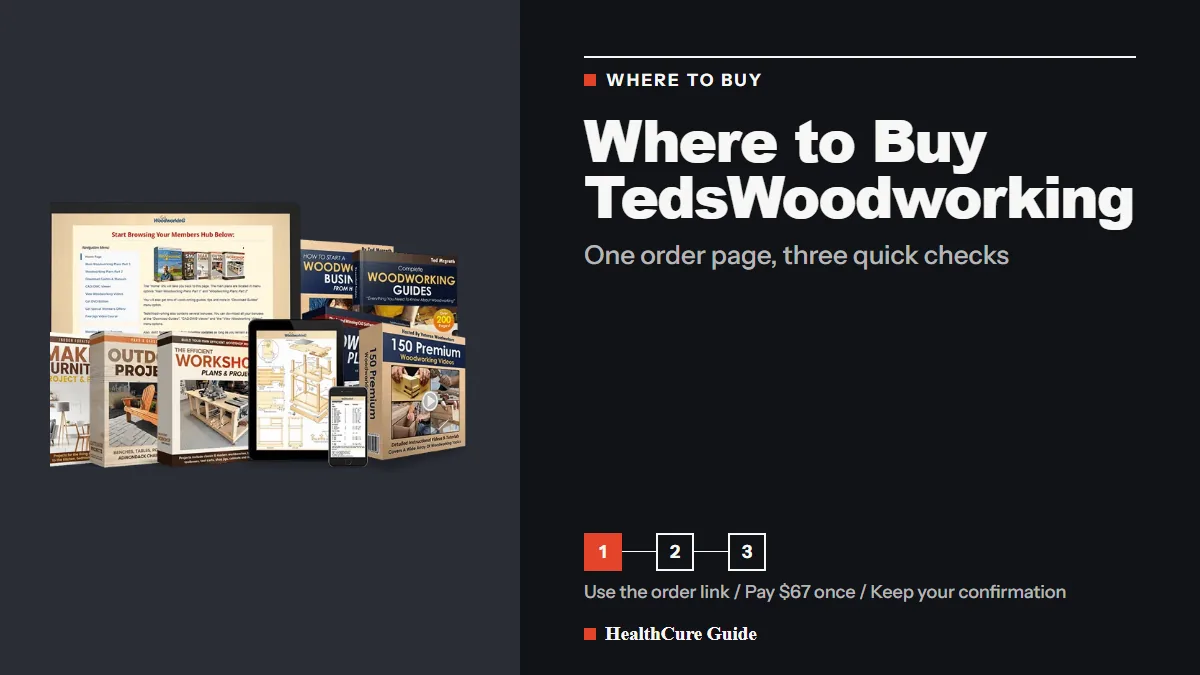
You want the plan library, and you want to be sure you buy it from the right place. The answer to where to buy Teds Woodworking is short: order through the official order page. That page carries the one payment, the members area login and the 60-day money-back guarantee that belongs to your order. Anything outside that route may look similar, but it does not give you the same account or the same paper trail. The Teds Woodworking hub introduces the full set of pages before you start.
Where to buy Teds Woodworking, step by step
Work through the route in order. Each step is short, and each one protects you from a mistake that is easy to make in a hurry.
- Click the order button on this page, or open the seller’s sales page at tedplansdiy.com by typing the address yourself.
- Read the headline price. The seller lists $67 as one payment for the plan library.
- Look at the add-ons on the order screen. The seller also offers a DVD or USB copy at checkout, and it is a choice, not a requirement.
- Enter your details and pay by the methods the checkout shows. The seller’s FAQ mentions card or PayPal payment.
- Save the confirmation email the moment it arrives, with the order number visible.
- Sign in to the members area with the login details the order gives you, and download one plan to confirm the account works.
Each step leaves a trail you can follow later. If something goes wrong, you can point to the exact order, the exact price and the exact email that the seller or ClickBank sent you.
Why the official order page is the only route we cover
The official order page ties your payment to a login, a members area and a guarantee. Without that link, a purchase has no clear record on the seller’s side. A copy from a marketplace or a file site may arrive with no members area at all, no bonus viewer and no route to the 60-day money-back guarantee. Even if it looks similar, you cannot ask the seller to honour a guarantee on an order it does not know about.
The official route also keeps the price honest. The figure on the order page is the one the seller lists, and you can compare it with the $67 printed in this guide before you pay. Anything that shows a different figure, or adds a monthly charge, is a reason to stop and check again.
Sellers and listings to skip
Skip marketplace listings that offer the library at a different price, under a different name or as a bundle of files. Skip file-sharing sites that promise the plans for nothing. Skip any page that asks for card details before it shows you the order screen. Our official website guide explains how to tell the genuine order page apart from a lookalike.
If you are unsure, do not pay. Return to our button or type the official address yourself, and start the route again from the beginning.
What the checkout page should show
A healthy checkout is quiet and specific. It names the plan library, shows one main charge of $67 and lists any optional extra as a choice you make. It should not show a timer, a second price beside the first or a product you did not select. If an extra is ticked before you reach the page, untick it. The seller describes the DVD or USB copy as optional, so it should not be pre-selected.
Check the final total before you confirm. Tax or a currency conversion may appear there, depending on where you live, and the total on the receipt is the figure that counts.
How payment is handled
ClickBank is the retailer for the order. That matters because questions about a charge or a refund can go to the seller first and to ClickBank’s order support at clkbank.com second. You do not need an account with ClickBank to read your confirmation, but keep the email, since it carries the order details both parties will ask for.
We could not confirm, from the pages we read, the exact name that will appear on a card or bank statement. If a charge looks unfamiliar, search your confirmation email for the order number before you assume anything.
After the order: your first login
Once the payment clears, sign in to the members area and find the plan library. Open one plan, download its PDF and check that it opens. If a DWG drawing is part of your first plan, install the bonus viewer before you open it. Save the files into a named folder on your computer.
Then note the date of the order in your calendar next to a reminder that the 60-day money-back guarantee applies to it. Asking early is the safer habit.
Our price post sets out the single payment and the bonuses, and our legitimacy guide covers the retailer and the guarantee in one place.
When the page looks different
Pages can change, and a button may point somewhere new. If the order page you reach shows a different price, a different product name or a monthly charge, do not continue. Close the tab, return to our button and compare the two screens side by side. If they still disagree, contact the seller through its support page before you pay, and mention what you saw.
A genuine order does not need you to hurry. If a page pushes you with a timer, a stock warning or a promise that the price is about to rise, treat that as a reason to slow down.
Why a marketplace copy cannot match the order
A marketplace listing can look tidy, with a product photo, a short description and a button that says buy. The trouble is what sits behind that button. A resold copy of a digital library has no order of your own on the seller’s books, so it cannot give you the login, the members area or the chance to ask for a refund under the seller’s 60-day money-back guarantee. You may pay a stranger for a file that the seller never agreed to support.
The same logic applies to bundles and repackaged files. If the page offers the library as one item in a larger pack, you cannot be sure which terms apply, who the retailer is or where a refund request should go. The official route removes that doubt, because the order, the price and the support path all point to the same place.
Reading the confirmation email
Your confirmation email is the most useful document you will receive in the first hour. Read it through once when it arrives. Check that it names the Teds Woodworking plan library, shows the single charge of $67 and carries an order number. Check that the email address on the order matches the address you use day to day, because that is where support replies will land.
File the email in a folder you will open again. Add a note beside it with the date you ordered, so you can find the start of the 60-day window quickly if you ever need it. If the email does not arrive within a reasonable time, check your spam folder before you order again, since a second order can complicate a refund.
Questions to settle before you order
- Do you have a card or PayPal account ready for the payment?
- Will you read the confirmation email on a device you check daily?
- Do you want the DVD or USB copy, or only the digital files?
- Have you read the building-rules note for any structure you plan to build?
Each answer takes a moment, and each one makes the first week with the library smoother. The order steps page in the catalog repeats this route in shorter form, and the Teds Woodworking hub lists the other pages in the set.
Common questions
Where should I buy Teds Woodworking?
Order through the official order page, which you reach with our button or from the seller's sales page at tedplansdiy.com. Marketplace listings and file sites are not the order route.
Can I buy it on Amazon or eBay?
The seller's order runs through its own checkout, with ClickBank as the retailer. Listings on marketplaces are not the route we cover, so do not pay anyone through them.
What does the order cost?
The seller lists $67 as one payment for the plan library, as we read the sales page on 24 November 2026.
What do I receive after paying?
A confirmation email and a login to the members area, where the plans, the bonuses and the optional download files sit.
Who handles payment?
ClickBank is the retailer for the order, and its order support at clkbank.com is a second route for questions about a charge.