The Genius Switch App: There Isn't One. Here's What You Get
No app store listing, no login, no game. The Genius Switch is a single downloadable audio file. Here is how to save it, play it offline and avoid the YouTube and Spotify uploads that are not the real product.
- Written by
- HealthCure Guide Editorial Team
- Reviewed by
- HealthCure Guide Editorial Team
- Updated
- Reading time
- 9 min read
This guide contains affiliate links. If you buy through them we earn a commission at no extra cost to you. It does not change the verdict. Disclosure.
If you searched for the genius switch app, you are not alone. The sales video talks about listening every day, the product image shows a phone, and most wellness audio these days lives inside an app. So it is natural to go looking in the App Store or Google Play. You will not find it there, because it does not exist as an app.
What you buy is a file. This guide explains what arrives after checkout, how to save and play it on an iPhone, an Android phone or a computer, how to listen offline, and how to avoid the uploads on streaming sites that borrow the name.
The Genius Switch app question: what you actually get
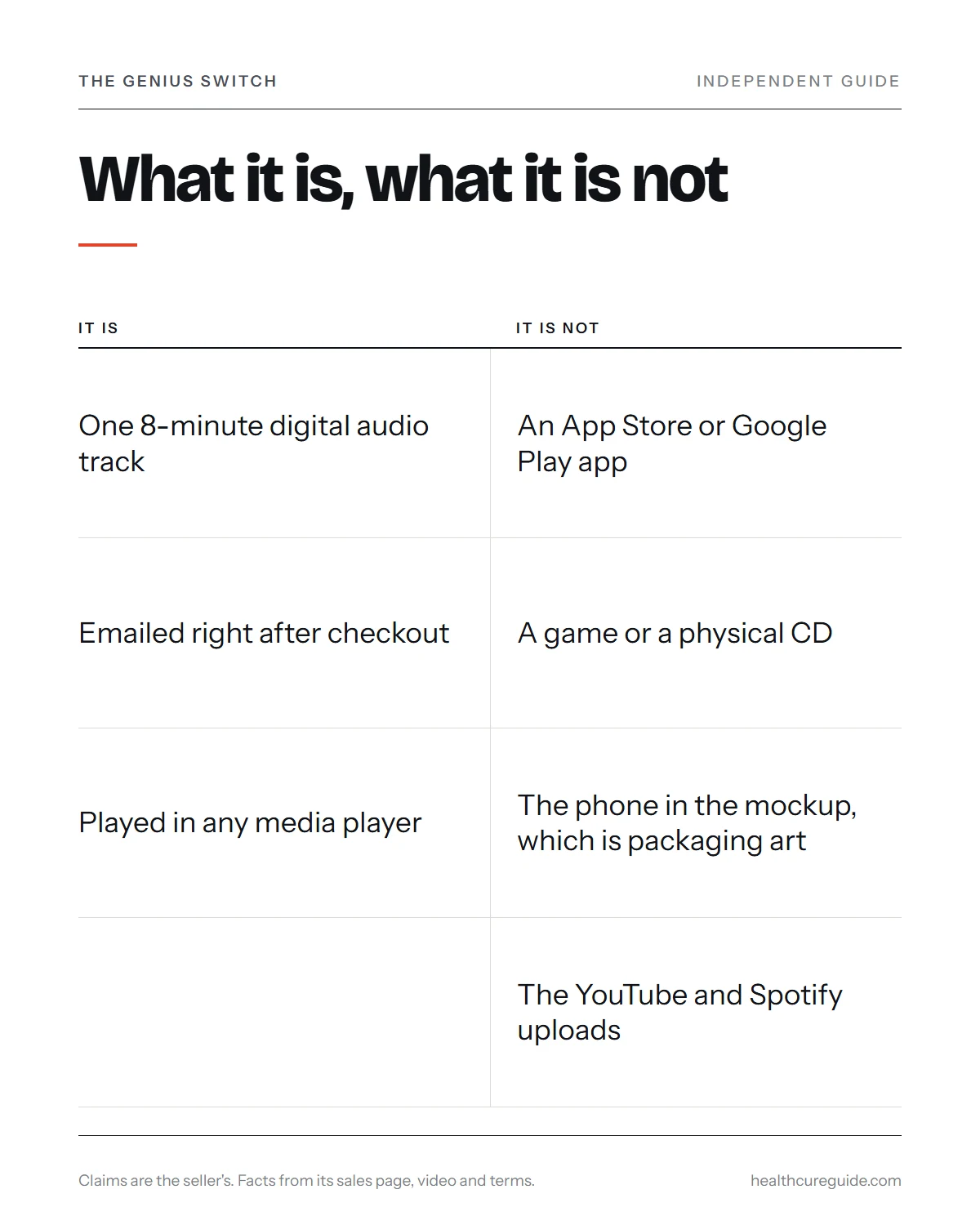
No app or game is offered anywhere on the official site, the checkout page or the sales video. The seller describes the product as a “targeted auditory sequence”, and the sales page heading also calls it the “Genius Switch Audio Series”.
| What it is | What it is not |
|---|---|
| One 8-minute digital audio track | An app in the App Store or Google Play |
| Emailed right after checkout | A subscription with a login |
| Played in any media player | A game or brain-training program |
| Sold through ClickBank checkout | A physical CD or package in the mail |
| “A copyrighted digital article for personal use”, per the Terms | A file you are allowed to share or upload |
About the phone in the picture
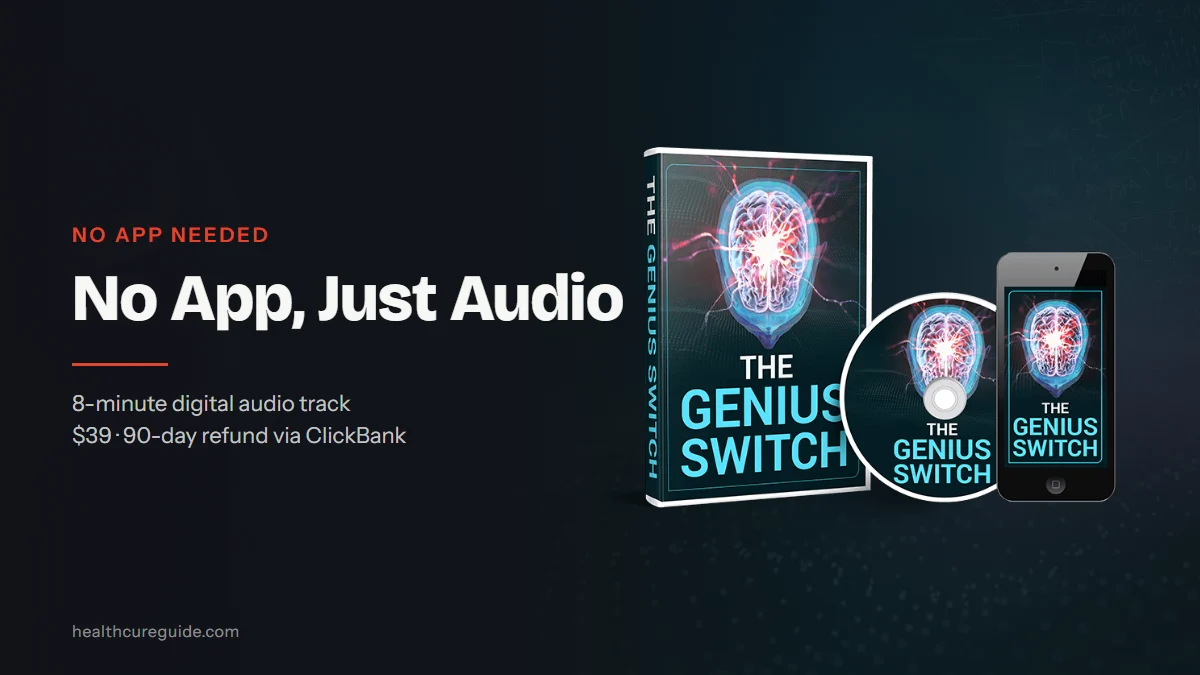
The featured image on this page shows the seller’s product mockup: a cover, a disc and a phone screen. All three are packaging art. The disc does not mean a CD ships, and the phone does not mean there is an app. They are there to show that it is something you listen to. The checkout page lists it as a “Digital Product”.
What arrives after checkout
According to the video and the checkout page, delivery works like this:
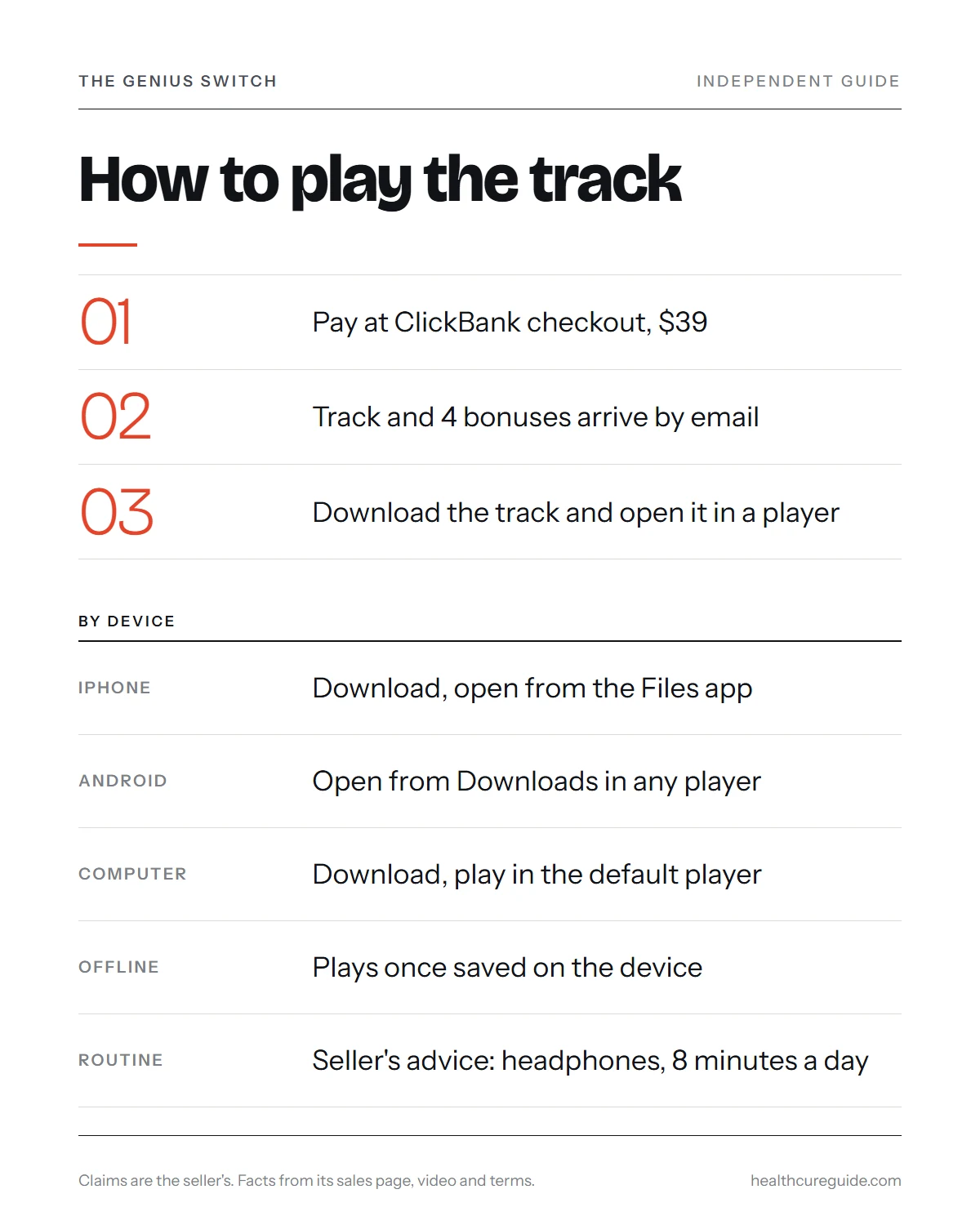
- You pay through ClickBank. The checkout promises “Immediate access … once payment is approved”. Your statement shows
CLKBANK*GeniusSwitch. - An email arrives with your access. The video says the track is emailed immediately after checkout. Nothing is shipped.
- You download the track to your phone or computer, as the video instructs.
- You also get four bonuses, described in the video as a guided visualization from a creator said to be top-rated on the Calm app, a smart grocery shopping guide, a free copy of a 100+ year old classic book on attracting financial success, and a printable infographic of 5 habits.
If the email does not show up within a few minutes, look in your spam, junk and promotions folders before anything else. Marketing emails from the seller come from GeniusSwitchOfficial.com, so a message from that domain is expected.
How to save and play it on an iPhone
The exact steps depend on how the access email presents the file, but the general approach on an iPhone is the same.
- Open the delivery email in the Mail app or your email app.
- Tap the download link. Safari will usually offer to download the file.
- Downloaded files land in the Files app, in the Downloads folder.
- Open the file from Files to play it. You can choose On My iPhone as the location so it is stored on the device.
- Turn on a Focus mode or Do Not Disturb before you listen, so notifications do not interrupt the 8 minutes.
If you would rather have it in your music library, save it on a computer first and add it from there.
How to play it on Android
Android phones are a little more flexible with audio files.
- Open the delivery email and tap the download link.
- The file normally goes to the Downloads folder.
- Open it with your phone’s file manager or any music player app you already use.
- If your phone asks which app should open audio files, pick one you like and set it as the default.
There is no need to install anything new. Any player that handles ordinary audio files will do.
How to play it on a computer
On a laptop or desktop it is simplest of all.
- Open the email in your browser or mail program and download the file.
- Move it from Downloads into a folder you will remember.
- Double-click it to play in your default media player.
- Keep a backup copy, for example on an external drive, so you do not depend on finding the email again.
The Terms describe the track as a copyrighted digital article for personal use, so keep your copy to yourself rather than posting or sharing it.
Listening offline, with headphones, 8 minutes a day
Once the file is saved on your device, you do not need an internet connection to play it. That makes it easy to use on a plane, on a quiet walk break, or anywhere with poor signal. The one catch is cloud storage: if the file sits only in iCloud Drive, Google Drive or a similar folder, the device may need a connection to fetch it first.
The seller’s routine is short:
- put on a pair of headphones
- close your eyes and relax
- listen for 8 minutes a day
- if you miss a day, the video says that is “okay”
The video also claims “it starts working the very first time you listen”, that “many customers notice a difference within the first two to three days”, and that most people “begin to see results within a couple weeks”. These are the seller’s claims, not measured results.
Safe listening, in our view
This is our own advice, and it applies to any audio track of this kind:
- keep the volume at a comfortable level
- do not listen while driving or operating machinery
- if you have a history of epilepsy or seizures, or hearing problems, ask a doctor before you start
- stop if you feel dizzy or uncomfortable
YouTube, Spotify and “free versions”
Search for the name on a streaming site and you may find uploads that look like the real thing. According to the video, the track is not sold on Amazon, YouTube or Spotify, and the presenter says the tracks you find there are not the same.
That leaves three practical points:
- A free upload is not the product. Whatever it contains, it is not the file sold through the official site.
- There is no official app to stream it from. Any app claiming to be “The Genius Switch” is not something the seller offers.
- Buy only through the genuine page. The official site is geniusswitchoriginal.com, and checkout runs on ClickBank. Our Genius Switch website guide explains how to spot look-alike pages.
What the seller says the track does
The presenter, who introduces himself as Dr. Daniel Barone, a New York City neurologist, explains the track as “whole brain activation” through syncing the two halves of the brain, using what he calls “neural sync technology”. He says one hour of neural sync was compressed into 8 minutes. We could not verify his identity or his involvement with the product, and “whole brain activation” is the seller’s term, not a clinical one.
The video credits the track with insights, faster learning, better memory, luck, money, weight loss, quitting smoking and easing of pain. All of these are unproven claims by the seller. No published study tests The Genius Switch track itself. Questions about whether the audio uses binaural beats are covered in our Genius Switch binaural beats guide.
It is not a treatment for any condition. The site itself states that the product is “not intended to diagnose, treat, cure, or prevent any disease.”
The video features customer stories. The seller’s Terms say that feedback may be dramatized with digital avatars or actors, that some people featured have a personal connection to the creators, and that the results shown are exceptional, not typical. The seller’s figure of “18,456 everyday Americans” helped is also unverified.
Price, refund and help if the download goes wrong
| Price | $39 (“Today Just For $39”); $200, $100 and $49 shown crossed out |
| Checkout | ClickBank; local currency and tax may be added |
| Statement | CLKBANK*GeniusSwitch |
| Guarantee | 90 days, per the Terms and ClickBank |
| Order help | ClickBank order support, 1-800-390-6035 |
| Product help | [email protected], listed on the official site |
If you lose the file
Search your inbox for the delivery email or for “ClickBank” to find your receipt. Your order details there are what ClickBank order support will ask for if you need the access sent again.
The refund fine print
The Terms say digital products are refundable within 90 days of your initial purchase, and ClickBank’s checkout describes the same 90-day window. Note that the site’s separate Refund page is a copy of a policy for “NeuroActivate” bottles, with 60 days, unopened bottles and a return address in Tallmadge, Ohio. It does not fit an audio download. Rely on the Terms and ClickBank’s policy, and keep your receipt.
Who it suits, and who should look elsewhere
It may suit you if you are happy to play a single audio file in your own player, you like the idea of a short daily listening habit, and you are comfortable paying $39 for something with no published evidence behind it.
Look elsewhere if you want an app with tracking, reminders or a library of sessions, a game or brain-training program, or a product proven to improve memory, focus or health. You should also skip it if you are hoping for money, luck or weight loss from a recording.
Bottom line on The Genius Switch app
There is no Genius Switch app to download, and you do not need one. You pay $39 through ClickBank, receive an email with the 8-minute track and four bonuses, save the file, and play it in any media player on your phone or computer, offline if you like. The phone in the product image is packaging art. Uploads on YouTube or Spotify are not the product.
Treat the benefits as the seller’s claims, listen at a comfortable volume, and keep your receipt for the 90-day refund window. This guide is for information only and is not medical advice.
Common questions
Is there a Genius Switch app on the App Store or Google Play?
No. No app is offered anywhere on the official site, the checkout page or the sales video. The Genius Switch is a single 8-minute digital audio track that is emailed to you after checkout. You download the file and play it in whatever media player your phone or computer already has.
Why does the product image show a phone screen?
The phone in the product mockup is packaging art, the same as the cover and the disc beside it. It is there to suggest that you can listen on a phone. It does not mean there is an app to install. Nothing physical ships either; the product is digital only.
How do I get The Genius Switch after I pay?
The seller says the track is emailed immediately after checkout, and the checkout page promises immediate access once payment is approved. Check your spam and promotions folders if nothing arrives. If it still does not show up, contact ClickBank order support or the product support email listed on the official site.
Can I listen to The Genius Switch offline?
Yes, once you have saved the audio file to your device. A downloaded file plays without an internet connection in any standard media player. Make sure it is stored on the device itself rather than only in a cloud folder, which may need a connection to fetch the file first.
Is The Genius Switch on Spotify or YouTube?
Not officially. The presenter says the track is not sold on Amazon, YouTube or Spotify and that the tracks found there are not the same thing. Anything uploaded under that name on a streaming site is not the product you buy through the official site and ClickBank checkout.
How long do I listen each day?
The seller's routine is 8 minutes a day with headphones on and eyes closed. The video says missing a day is okay. Listen at a comfortable volume and never while driving or operating machinery. If you have a seizure history or hearing problems, ask a doctor before using any audio product like this.
What does The Genius Switch cost?
The sales page shows $39, with $200, $100 and $49 crossed out as reference prices. Checkout may display local currency and add tax, so the final total can vary by country. Your card statement will show CLKBANK*GeniusSwitch, and the Terms and ClickBank describe a 90-day refund window.