Energy Revolution System Money Back Guarantee: How the Refund Works
The 60-day money-back guarantee in plain steps: the request, the seller's processing window, the bank's timing, access after a refund and the limits to know before you order.
- Written by
- HealthCure Guide Editorial Team
- Reviewed by
- HealthCure Guide Editorial Team
- Updated
- Reading time
- 7 min read
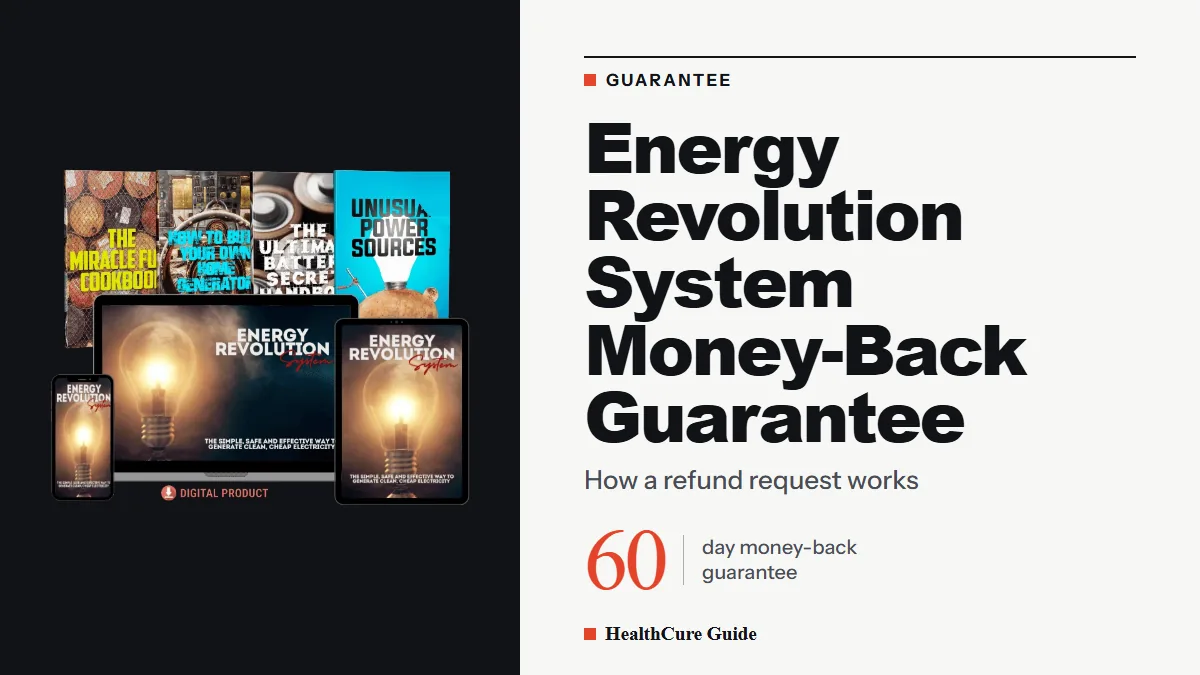
The Energy Revolution System money back guarantee is one of the first things readers ask about, and it deserves a clear walk-through. The seller offers a 60-day money-back guarantee. You make the request by email, the seller says it handles requests within 48 hours, and your bank then returns the funds. This post covers each step, the parts the seller leaves to the buyer and the limits that matter before you order.
Energy Revolution System money back guarantee: the steps
- Locate the ClickBank confirmation email and note your order number.
- Send an email to [email protected] that includes your full name and that order number.
- Set the subject line to Refund Request.
- The seller says it handles the request within 48 hours.
- After that, your bank posts the refund, which generally takes a few working days.
- Hold off on any bank dispute while the request is in progress, since the seller asks buyers to wait.
The order of these steps matters more than their length. A bank dispute raised before the seller has handled the request can complicate the refund, and the seller specifically asks buyers to avoid that path.
What to expect after the email goes out
Once the message is sent, the seller says it handles the request within 48 hours. That period belongs to the seller. The bank works on its own schedule after that, so a short quiet stretch in which nothing shows on your statement is normal.
Watch the calendar as well as the inbox. Note the day the request left your outbox, and check back at the end of the seller’s 48-hour window. If nothing has come back by then, you have a clear basis for the follow-up steps described later in this post, and a dated record makes that follow-up simple to write.
A reply from the seller is the strongest evidence of progress you can hold. Keep it alongside your original message. If the seller asks for a detail you already supplied, answer in the same thread and repeat the order number, so the record stays in one place. The hub also summarizes the guarantee beside the price and the safety notes.
Before you send anything
Take a moment to gather what you need before writing. Find the ClickBank confirmation email, copy the order number exactly as it appears, and confirm the spelling of your full name. Write from the email account that received the order if you can, since that makes the match easier on the seller’s side.
Do not include card numbers, bank passwords or any other banking details in the message. The seller only needs your name, your order number and the subject line. Attachments are not part of the steps the seller describes, so there is no reason to add one. A short, accurate note is the most useful thing you can send.
If the seller does not reply
Silence is frustrating, but it has a simple response. Check your spam folder for any reply, then keep a dated record of every message you sent and the time you sent it. If the seller’s answer does not arrive, the contact page on the seller’s site is the next place to raise the matter, with the same order number and subject line.
ClickBank order support is the second route, reached through clkbank.com. Give the support team your order number and a brief summary of the request you already made. Keep every reply, because a clear written trail is the strongest record you can hold if the matter needs to go further.
What the 60-day guarantee covers
The guarantee applies to the purchase of the PDF guide, the order you placed through ClickBank. The seller’s refund page calls it a full money-back guarantee, and the contact page describes the same full refund. No separate form is needed, because the email itself is the request.
The seller adds that requests falling outside the standard window are reviewed as unusual circumstances. That is a review rather than a standard refund, and we point it out so the difference is clear before you order.
Writing a clear refund request
A tidy message moves faster. Include your full name and order number, use the subject line Refund Request, and keep the body brief. The seller’s steps ask only for your name and order number, so extra explanation is not required.
Keep a copy of what you sent. Your sent folder then shows the date and the wording, which helps if the seller later asks about the details.
Questions to settle first
A refund request can raise a few questions, so it pays to settle them early. Whether a reason is needed is one of them. The seller’s listed steps ask for your name, order number and subject line, and they do not require a detailed justification. A short, factual line is enough.
Another is whether a copy of the file can be kept after a refund. The seller says access is removed once the refund is processed, so treat any copy you hold as no longer covered by the terms. Raise that point with the seller before sending the request.
Bonus titles are a further point to check. The seller presents them as part of the offer, and the guarantee is described for the purchase as a whole. If that detail matters to you, ask in writing before ordering and keep the reply with your receipt.
Finally, you may wonder how requests outside the standard window are handled. The seller says they are reviewed as unusual circumstances, which is a review and not a promise. The sensible course is to act within the terms of the guarantee rather than count on a review later.
How long the money takes to arrive
The seller says it processes refund requests within 48 hours. After that the bank posts the amount to your card or account, which typically takes around three to five working days. Bank timing sits outside the seller’s control, so the exact date depends on your card issuer.
If the amount has not appeared once that period passes, check your statement first. Then contact the seller with your order number and the date you sent the request. A thread titled Refund Request is quick for the seller to locate.
Access after a refund
Once a refund is processed, your access to the digital files is removed, according to the seller. Keep that in mind before you send the request. If you have already opened the PDF, the seller’s wording still means access ends when the money is returned, so a copy kept on your device should not be treated as a way around those terms.
It is worth thinking through what you would lose before you ask for money back. Any notes you made in the file, any bookmarks and any materials you copied to a device would no longer be tied to an active download. If you intend to ask for a refund, copy the parts you need for your own records first, and then make the request on a clear head rather than in a rush.
Keep your confirmation email
Keep your ClickBank confirmation email. It contains the order number and the product name, which are the two details the seller asks for. Store it in a folder you check regularly, and do not rely on one device to hold it. Printing it or copying it to a second place helps if you change phones or lose access to an old inbox.
A useful habit is to write the order number on a card or in a note that you keep with other important papers. The number is short, and having it written down in a second place means a refund request never depends on finding one particular email in a crowded inbox.
Limits to know before you order
A guarantee is only as clear as its terms. The seller does not list the guide’s contents, the parts or the cost of a build on its sales pages, and it describes the product as an experiment that was not technically assessed. The guarantee covers the purchase itself, not the outcome of any home project you start afterward.
Some home changes may be unlawful where you live, and the seller says so as well. The guarantee does not alter local rules, so check with your local authority before acting on anything you read.
Safety reminder for every reader
A refund leaves the hazards of home work untouched. Electrical work at home and generator builds carry fire and shock risks, and a guide is no replacement for a qualified professional. Local codes and permits apply to each step, anything connected to house wiring needs a licensed electrician, and fuel-burning equipment indoors should never be part of a plan.
Where to go from here
For the price and what it covers, read our price post. To check the seller’s details first, our legit post walks through the checks, and our where to buy post covers the order route. The FAQ page answers the common questions, and the hub keeps everything in one place.
Common questions
How long is the Energy Revolution System guarantee?
The seller offers a 60-day money-back guarantee, and the refund route is described on the seller's refund page.
How do I ask for a refund?
Email the seller with your full name, your order number and the subject line Refund Request.
How long does a refund take?
The seller says it processes the request within 48 hours. After that, your bank posts the money, which usually takes a few business days.
Can I open a bank dispute instead?
The seller asks buyers not to open a bank dispute while the request is being handled.
Do I keep access to the file after a refund?
No. The seller says access is removed once a refund is processed.
What should I keep?
Your ClickBank confirmation email, which holds the order number and the product name.