Where to Buy Energy Revolution System: Official Order Page Only
The official order route, why marketplaces and download sites are not the route, a step-by-step purchase walk-through and the checks to make on the order page.
- Written by
- HealthCure Guide Editorial Team
- Reviewed by
- HealthCure Guide Editorial Team
- Updated
- Reading time
- 6 min read
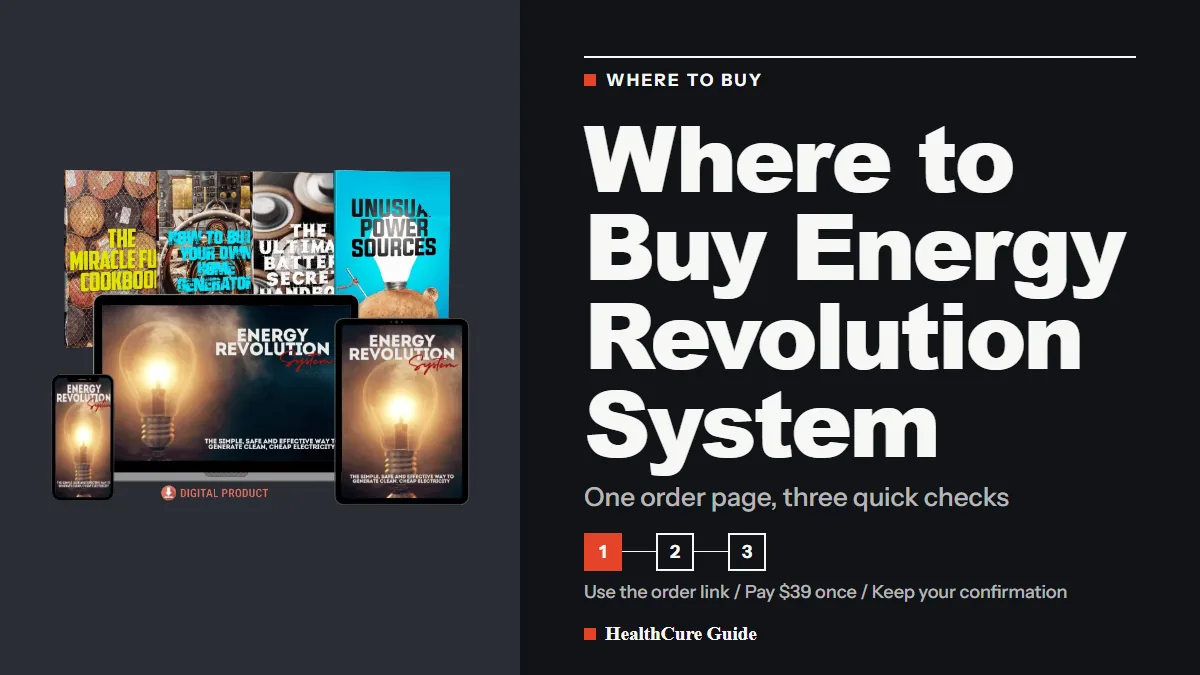
Looking for where to buy Energy Revolution System? The short answer is the official order page and nothing else. We know of no marketplace listing that matches the seller’s copy, and a file obtained anywhere other than that checkout cannot be linked to your receipt or to the seller’s refund path. This guide walks through the purchase in order, lists what the page should display before you confirm, and points out the warning signs worth avoiding.
Where to buy Energy Revolution System: the official order page
The route begins on the seller’s own website, theenergyrevolution.net, where the sales material leads into a ClickBank checkout. ClickBank serves as the retailer, and its customer support sits at clkbank.com. According to the seller, the card statement will show CLKBANK*EnerRevolution, a detail worth comparing against your statement if a charge appears later.
The button in this post opens that same order flow, and the price on it is unchanged. The order page is the one place that confirms the amount, so rely on what it displays rather than on any summary, including ours.
The sales material is video-led, so the written copy around it tends to be short. That format is common for offers of this type, which means the order page carries most of the practical detail. Watch or skim the presentation for the seller’s message, then take the amount, product name and payment type from the written page. If the video and the page appear to differ, believe the page and verify again before you pay.
Think of the official route as one road with a clear start and a clear finish. You begin at the seller’s site, follow the order button and end at a receipt. Anything that diverts you before that receipt appears deserves a closer look, because the receipt is what ties your payment to the guarantee and to the download link you will need.
Why marketplaces and file sites fall short
Large online marketplaces carry thousands of listings, and searching them first feels natural. For this guide, though, we have found no marketplace listing that we could confirm as the seller’s own copy. A listing may come from a reseller, an outdated copy, or a page that borrows the guide’s name for something unrelated. Even a legitimate copy purchased elsewhere would not come with your ClickBank order or the seller’s refund path.
Download sites raise a separate set of concerns. Files offered there arrive without a receipt, without a confirmation email and without any route for a refund request. Some such files may carry malware, and if one does, the consequences land on you alone. The official order is the only path that binds the file, the payment and the guarantee into a single record.
Step by step, from the sales page to the receipt
- Open the seller’s site at theenergyrevolution.net, either by typing the address yourself or through our button.
- Watch or skim the sales presentation, then locate the order button.
- On the order page, check the product name, the single payment of $39 and the statement name.
- Fill in your details, using an email address you read every day.
- Review the confirmation screen, then locate the ClickBank confirmation email that carries the download link.
- Keep the receipt and the order number together in one folder you can reach later.
Each step is brief. Step three deserves the most attention, because the amount, the product name and the payment type should match what you have read here. Should anything differ, pause and go back to the beginning.
Before moving to step four, jot the order number and the date on paper or in a note you can find again. The confirmation email repeats those details, but a separate record helps if your inbox becomes hard to reach. Store that note alongside the receipt so both can be matched quickly.
Step four asks for your email address, and the choice matters more than it seems. The download link goes to that inbox, so choose one you read daily. If you share a household account, agree in advance who will watch for the message, so the link does not slip through while each person assumes another has it.
What the order page should display
Look for four things. The product should appear as Energy Revolution System, described as a digital PDF with nothing shipped. The amount should read $39 as one payment, with no recurring line beneath it. The retailer should be ClickBank, and the page should reference a 60-day money-back guarantee. Extra items, if any, should show up as separate lines, since the seller explains that upgrades are billed as their own transactions.
If one of those four is absent or different, hold off on confirming. Return through our button or the seller’s own domain and begin again, so the receipt you keep matches the offer described in this post.
After you order
The ClickBank confirmation email carries the download link. Open the PDF on a device with a reader and compare it with the description on the seller’s pages. Do this soon after purchase, while the order details are fresh, rather than weeks later when the email is buried. If the file is missing or does not match, the seller’s contact page is the place to report it, with your order number at hand. The seller’s refund page lays out the steps for requesting money back. For a shorter version of this route, see the where to buy page.
Lookalike pages to skip
Pages that offer a copy at no cost, a special code or a running timer are not the official order route. The seller’s pages show a single price, and we have found no coupon code on them. A page that alters the amount, requests a different payment method or passes you through a string of unfamiliar redirects should be closed rather than followed.
Our official website post describes the genuine route in more depth, the price post breaks down the $39, and the legit post explains the checks we rely on.
Questions to ask before you order
Before opening the order page, run through a few plain questions. Do you know the exact name of the product? Can you type the seller’s address from memory? Do you have an email address you check daily? Do you understand that the guide is a digital PDF and that nothing will be posted to you? If any answer is no, settle it first, since those points are far easier to sort out before a payment screen appears. Having the answers ready also makes the checkout feel calmer, because you are reading the screen rather than searching for the details it asks for.
It also helps to settle, in advance, what you expect from the purchase. The seller describes a guide that explains how to build a small home power device, but the sales pages leave out the parts list and the cost of a build. Someone hoping for a complete parts list or a finished device would be let down, so set that expectation before paying rather than afterward.
Our links and your checkout
Our links lead to the same checkout the seller’s own buttons use, so what you pay is unchanged. We would rather you read the order page directly than rely on our account of it, which is why this post offers a checklist rather than a promise of its own. The hub collects the facts behind each step.
A careful look at the order page remains your best protection. Verify the product name, the amount, the single payment, the retailer and the guarantee line, and leave the page if any item conflicts with this post.
Safety reminder before any build
Buying the guide is only the first step. Electrical work at home and generator builds bring fire and shock risks, so read the safety pages before you plan any work. Local codes and permits govern every stage, and any fuel should be handled as a serious hazard. Exhaust gas from fuel-burning equipment indoors can build up quickly, so keep the work area ventilated and clear of anything that can catch fire. Anything connected to house wiring needs a licensed electrician.
The seller’s disclaimer calls the product an experiment that was not technically assessed, and it warns that certain home changes may be unlawful where you live. Consult your local authority before you order, not after. The hub is the page to return to before you pay, because it keeps the price, guarantee and safety notes together.
Common questions
Where should I buy Energy Revolution System?
Only through the official order page, reached from the seller's site. The retailer on that page is ClickBank.
Can I buy it on a marketplace?
We know of no verified marketplace listing for the seller's copy, and a listing elsewhere would not carry your order or the seller's refund route.
How much does the order cost?
The seller lists $39 as one payment. Confirm that amount on the order page before you pay.
What will my card statement show?
The seller gives the statement name as CLKBANK*EnerRevolution.
Will anything be shipped to me?
No. The product is a digital PDF, and the download link arrives by email.
Who do I contact after buying?
The seller's contact page is the first route, and ClickBank order support is the second.