Energy Revolution System Official Website: Find the Real Order Page
A short route map to the genuine order page for the $39 PDF, with the seller's domain, what the video-led sales page looks like and the lookalikes to skip.
- Written by
- HealthCure Guide Editorial Team
- Reviewed by
- HealthCure Guide Editorial Team
- Updated
- Reading time
- 6 min read
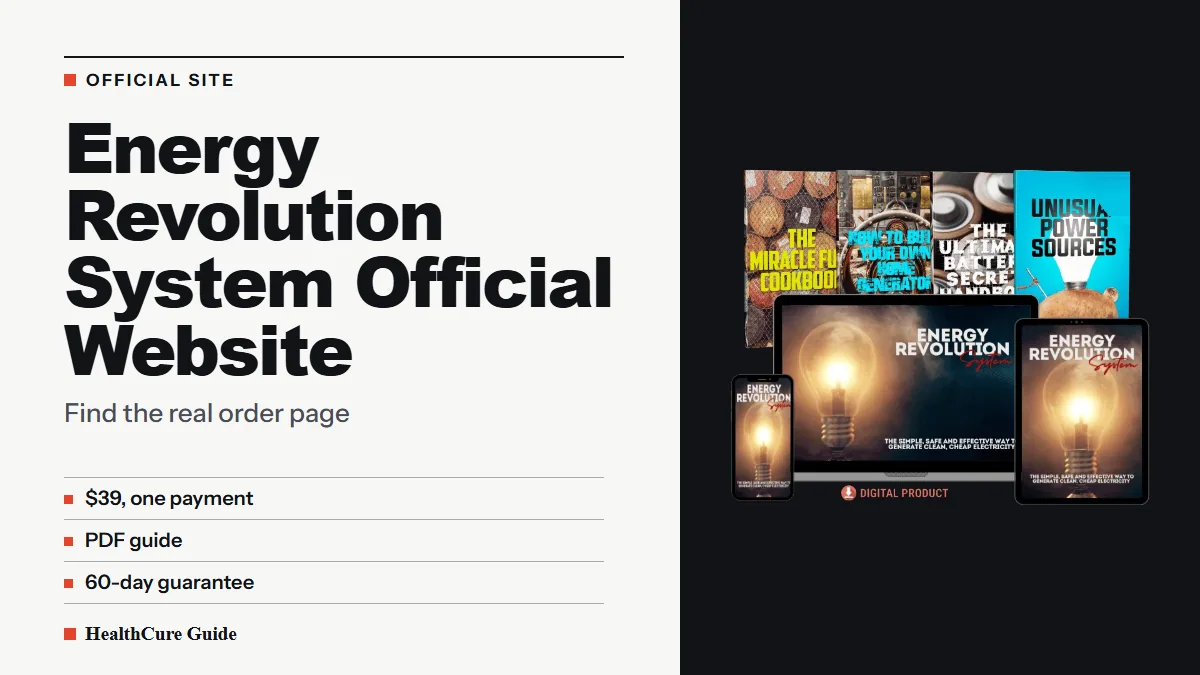
People who look up the Energy Revolution System official website generally want one thing: a way to reach the genuine order page without wading through copies. That is a sensible aim, and this page is written to help. The vendor’s domain is theenergyrevolution.net. Its sales page leads to a ClickBank checkout for a single payment of $39. Below we describe how to recognize that route, what the sales page presents and which lookalikes to avoid.
We reviewed the vendor’s pages as text to prepare this guide. We did not play the video on the sales page and we did not enter the checkout, so everything here reflects the written material and the way the purchase is set up.
For the wider product picture, see the Energy Revolution System hub. This page is only about finding the genuine route.
Energy Revolution System official website: the short route
The quickest path to the genuine order page is the button on our site. It sends you to the vendor’s sales page and then on to the ClickBank checkout. At that stage you should see the product name, one payment of $39 and any optional extras, all before you hand over payment details.
If you would rather begin at the vendor’s domain, type theenergyrevolution.net into your browser yourself instead of clicking a link from an email or an ad. Compare what loads with the description on this page. If the address or the layout does not match, stop and come back through our button. Our official website page in the product catalog covers the same checks in a shorter form.
What the vendor’s sales page presents
The sales page is built around a video, and the text surrounding it is brief. It relies on a headline, a price block and a guarantee section. The price shown on the pages we read is $39, described as one payment that brings instant access to the file. The vendor also sets out a refund process, which you can read before you order. Scroll to the footer and you will find links to the vendor’s terms and disclaimer. Read those documents in full. They describe the refund route, the vendor’s obligations and the note that the product is an experiment. If anything on the sales page seems to disagree with those documents, trust the documents and put the question to the vendor before you order.
The sales page does not show the chapters, the components or the cost of any build. Those details are absent from the text we read, and we cannot tell what the video adds. If you need them before paying, look for them on the order page itself or in the vendor’s written terms, and do not depend on the video alone.
After you reach checkout, the vendor says any extra upgrades are booked as separate transactions. Read every line and confirm the total before approving the order. The vendor gives the statement name as CLKBANK*EnerRevolution.
How to recognize a genuine order page
A genuine order page should agree with the vendor’s own pages. The product should be called Energy Revolution System, the price should read $39 as one payment, and the refund wording should mention a 60-day refund promise. The retailer shown at checkout should be ClickBank.
Do not rely on a logo. Copies often borrow artwork, colors and headlines. A page can look polished and still send your money to a different seller or leave you without a refund path. Check the details, not the design. Compare the web address you reached with the one written on this page, letter by letter. A small change, such as an extra word or a different ending, is a reason to stop. If the order page asks for information the vendor’s pages never mention, pause and return to the vendor’s refund and contact pages before going further.
What to expect on the vendor’s site
The site is built around a single product, so navigation is minimal. The main page opens with a video, followed by a short text block, then the price and the guarantee. Expect to see the product name, the price shown as $39 and a button that moves you toward checkout. The footer carries the disclaimer and points to the refund and contact pages. We read those written pages to prepare this article, and the wording we quote comes from them rather than from the video.
Common mistakes when looking for the official site
The most frequent error is to search for a name and click the first polished result. Paid placements can lead to pages that resemble the vendor’s site without being the genuine route. A second mistake is to trust a page quoting a different price or a bundle you did not expect. The third is to skip the refund page. On the genuine route the refund terms are not hard to locate, and they name the vendor and the steps. A copy that hides those details should raise questions before you enter anything.
Lookalikes to skip
Several kinds of pages appear to be the official route without being one. Marketplace listings from large online stores may sell copies or third-party bundles. File-sharing sites often offer the PDF without charge, and those downloads carry no vendor refund route and may not be the genuine guide at all. Pages promising the guide at a lower figure, or with an unfamiliar bonus, deserve the same caution.
If a search result leads somewhere unexpected, go back to the results, skip that entry and type the vendor’s domain yourself. Typing the address takes seconds and removes most of the guesswork.
Avoid any page that asks for card details before showing you the product name and the $39 figure. Make sure the order details appear before the payment fields do.
Why the official route matters for refunds
The refund route runs through the vendor’s contact details and ClickBank’s order support. A purchase from the genuine page gives you a confirmation message, an order number and a clear way to request a refund within the 60-day refund promise. A copy from an unknown site may give you none of those. If a refund ever becomes necessary, the steps are the same whichever channel you use.
When you need a refund, email the vendor with your full name, your order number and the subject line Refund Request. The address appears on the vendor’s contact page. Keep the ClickBank confirmation, because the refund desk will check it.
What to expect after the order
After payment, the download link arrives by email. The file is a PDF and works on a PC, a Mac, a tablet or a phone once a PDF reader is installed. Nothing is shipped, so there are no parcels to follow. If the email does not arrive, check your spam folder and then contact ClickBank support through clkbank.com.
Keep that email in a folder you check often. If you have a question about the order after payment, the confirmation message and ClickBank’s order support are the places to start. Write down the order number before you contact anyone, and note the date and time of each message you send. That record makes any follow-up clearer for everyone involved.
Home electrical and generator work carries fire and shock risks, so local codes and permits come first. A licensed electrician should handle anything connected to house wiring, and you should never run fuel-burning equipment indoors. Read the safety rules before any project, then return to the order page with those rules in mind.
The vendor’s disclaimer, briefly
The disclaimer says the presentation is for promotional purposes only and that the product is an experiment that was not technically assessed. It also warns that some home alterations may be illegal where you live, so check with your local authority. Read the sales page with those lines in mind, and treat the official site as the place to buy, not as proof of what the guide will do.
Where to go next
If you are still weighing whether the purchase is sound, our legitimacy checklist walks through the retailer, the contact routes and the refund pages. If you already know you want to order, our where-to-buy guide gives the step-by-step route, and our price post lists each line of the order. The product hub collects the rest of the product details.
Common questions
What is the Energy Revolution System official website?
The seller's domain is theenergyrevolution.net. Its main page is a video-led sales page, and its buy button leads to a ClickBank checkout.
Why does the sales page rely on video?
The seller builds its sales page around a video. We did not watch that video, so we describe only the written text on the page.
How do I know the order page is genuine?
It should show the product name, a single payment of $39 and a clear route to the seller's refund terms. Use the button on our page to reach it.
Are PDF copies on file-sharing sites genuine?
No. Copies from file-sharing sites or marketplace listings are not the genuine guide, and they carry no seller refund route.
What should I do if the page looks different?
Leave the page, come back through our button and check the order page again before you enter any details.