Where to Buy Smart Water Box: Official Order Page
One route, followed step by step: how to reach the official order page, what to read there before paying, and why a copy or a third-party listing is not a substitute.
- Written by
- HealthCure Guide Editorial Team
- Reviewed by
- HealthCure Guide Editorial Team
- Updated
- Reading time
- 6 min read
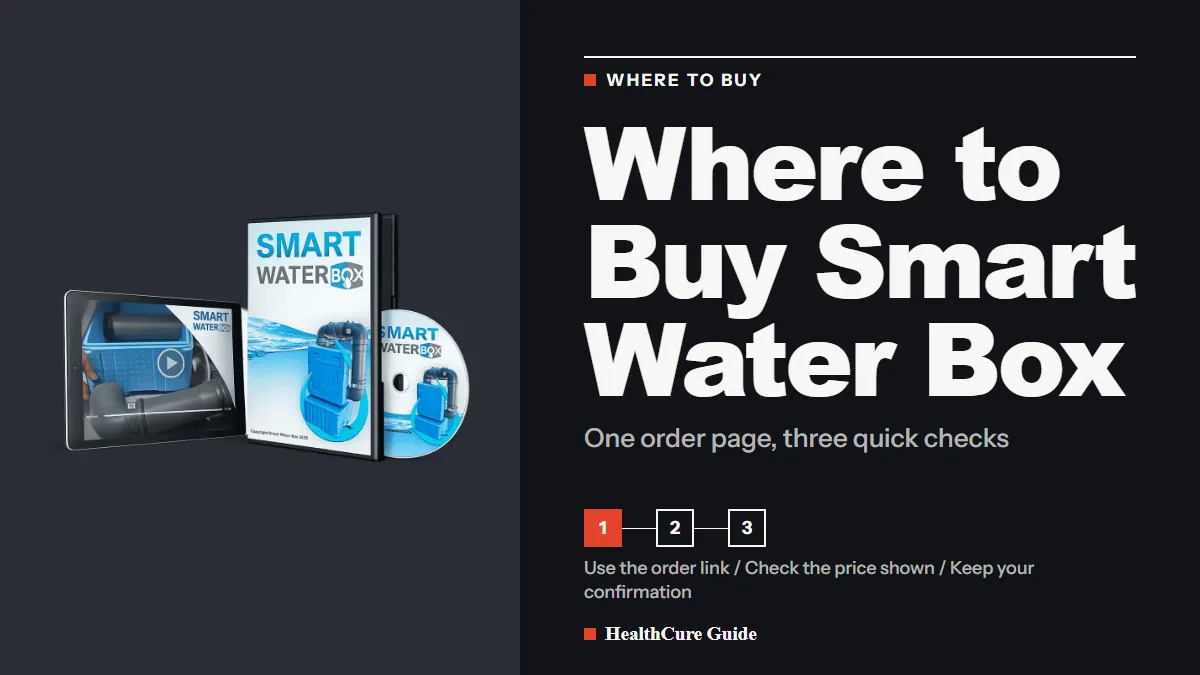
Knowing where to buy Smart Water Box matters as much as the guide itself, because the order route shapes what you see, what you pay and how a refund would run. The order route matters nearly as much as the guide, because it shapes what you see, what you pay and how a refund would run. Follow it in sequence: reach the official order page, read the lines that matter there and only then enter your details. Copies and third-party listings are no replacement. Our product hub lists the wider set of pages.
Where to Buy Smart Water Box: The Official Order Page
The genuine path begins at watersmartbox.com, the seller’s address, and leads to its order page. Our buttons open the same route, so either starting point works. Whatever you reach should show the Smart Water Box name, the seller’s terms and a refund route you can read before paying. If any of those are absent, that page is not the one to use.
Our official website guide shows how to spot the genuine route and which points the front page settles. Read it if you are unsure which page you have landed on.
Why the Official Route Comes First
There are three reasons to start at the official route. The first is that the seller’s terms, the amount and the refund wording sit together on that page and nowhere else you can rely on. The second is that a refund request has to be tied to a genuine order, and the confirmation email from that order is what the seller will ask you to quote. The third is that copies and lookalike pages often leave out the lines you most need, such as the format, the payment terms and the support address.
Starting at the right place also keeps your records tidy. A confirmation that matches the route you used is quick to file and quick to show if a question comes up later.
Step by Step to the Order Page
Work through these steps in order before you enter any card details:
- Open the seller’s site, watersmartbox.com, or use a button from our site that opens the same route.
- Confirm that the page names Smart Water Box and describes the guide you read about.
- Look for the amount. See the current price on the official order page, and note any period label beside it.
- Read the payment terms, including whether the page describes a single charge or something else.
- Find the format line. It should say whether the material is a file or a physical item.
- Compare the refund wording with the 60-day refund promise and the support route.
- Write down the amount, the format and the date you looked at them.
Take your time over each step. A few minutes of reading is far better than skipping lines and finding the gap after the payment has gone through.
If a step does not match what you expected, stop there and reopen the route from the seller’s site. A clear page is the sign you want, and an unclear one is a reason to ask the seller in writing first.
What to Read on the Order Page
Treat the order screen as the reference point for everything in this guide. Read the product name, the figure, the period, the format and the refund terms there. Next, compare the total at checkout with the figure you noted. If the two differ, pause and learn why before you continue. Our price post runs through the same checklist in more detail and pairs well with this page.
Keep one thing in mind. Figures quoted in articles, forums or copied pages are second-hand and can be out of date. Only the order screen reflects the terms you will actually accept.
Why the Price Is Not Printed Here
Readers often ask why a where-to-buy page does not print the figure. The reason is plain. The seller’s main page does not show one, and the figures on other pages are not consistent enough to repeat with confidence. Repeating a number from one page could send you to a checkout that shows something else. The order page is the only place where the figure, the period, the payment terms and the refund wording appear together, so that is where the comparison belongs.
Treat any figure you see on another page as a prompt to check, not as a final answer. The order page is the reference, and the total at checkout is the number that counts.
If the page you reach looks different from the one described in this guide, note it in your record with a dated screenshot before you go further.
Marketplaces and Lookalike Sellers
We would not rely on marketplace listings, file-sharing pages or sites that offer the guide with a different name. Such listings may be incomplete, out of date or unrelated to the seller’s material. They also give you no direct link to the seller’s refund process, which is the main reason to order through the official route in the first place.
There is a second reason to stay on the official route. A listing elsewhere cannot display the refund wording that governs your payment, and it cannot supply the confirmation email the seller asks you to quote. If you need to contact the seller about an order, the order details have to match the route you used, so keeping the purchase on that route keeps the record consistent.
If a page is unfamiliar, compare its wording with the order steps listed in this guide before you go further. Stay alert to pages that request more than an order needs, bury the refund terms or advertise an unusual bonus you cannot find on the seller’s own site. If something feels off, go back to the official route rather than trying to fix the problem on the page you are on.
After You Order
After payment, a ClickBank confirmation email usually follows. Keep that email with your note of the amount and the format. If the access instructions after checkout are unclear, send one short message to the seller’s contact address, quoting your name and order number. Do not start a refund request until you have confirmed the order details, because the seller will ask for them.
Once the order is placed, the next job is paperwork. Store the confirmation email, note the amount and format you saw, and write down the time you placed the order. If the access instructions do not appear on screen, check the confirmation email for instructions before you contact the seller.
Our legitimacy checklist walks through the same checks in a different order, and it is a useful second read once you have your order details in hand.
Common Route Mistakes
Three mistakes are worth avoiding with a route like this. The first is starting from a search result rather than from the seller’s own address, which can lead to a copy of the page. The second is entering card details before reading the format line, so the purchase is made before the material is understood. The third is discarding the confirmation email once the checkout looks finished, which leaves no record to show. Avoiding each one takes a few minutes on the order screen, and those minutes are well spent.
Safety Notes Before You Build
Buying the guide is only the first step. Water made by any home device should be treated or tested before drinking, and humidity and temperature shape the output, so a good day will not repeat on schedule. Plan how you will handle the water before the build starts, not after the first batch appears.
Electrical work is the other point to settle early. Powered parts, cooling hardware and mains connections can cause shocks or fires, and the disclaimer points you to local rules, since certain home changes may be unlawful in your area. Good electrical safety means checking those rules first and bringing in a qualified person wherever wiring is involved.
Where-to-Buy Questions Answered
Where is the official place to buy Smart Water Box?
The genuine route is the seller's own site, watersmartbox.com, which leads to its order page. The buttons on our site open the same order route.
Can I buy it from a marketplace or file site?
We would not rely on marketplace listings or file-sharing pages. Use the seller's order route, and treat anything else as unverified.
Where do I see the price?
See the current price on the official order page, and compare it with the total shown at checkout before you finish.
Who processes the payment?
ClickBank is the retailer named on the seller's pages, and its checkout handles the order.
What if the order page looks different?
Stop, and go back to the order route from the seller's site. Do not enter card details on a page that looks altered or unfamiliar.
Does the guarantee apply to any order?
The seller describes a 60-day money-back guarantee for orders placed through its route. Keep your confirmation email in every case.
To sum up, the route is short: start at the official site, read the order page, note the amount and the format, and keep the confirmation email. Our product hub has the other pages in the same set, and our where to buy page covers the route in a shorter form if you want a quick reference.
Common questions
Where is the official place to buy Smart Water Box?
The genuine route is the seller's own site, watersmartbox.com, which leads to its order page. The buttons on our site open the same order route.
Can I buy it from a marketplace or file site?
We would not rely on marketplace listings or file-sharing pages. Use the seller's order route, and treat anything else as unverified.
Where do I see the price?
See the current price on the official order page, and compare it with the total shown at checkout before you finish.
Who processes the payment?
ClickBank is the retailer named on the seller's pages, and its checkout handles the order.
What if the order page looks different?
Stop, and go back to the order route from the seller's site. Do not enter card details on a page that looks altered or unfamiliar.
Does the guarantee apply to any order?
The seller describes a 60-day money-back guarantee for orders placed through its route. Keep your confirmation email in every case.