The Genius Switch File: License, Backups and Playback Fixes
Once checkout is done, the product is one small audio file on your device. Here is what the Terms let you do with it, how to keep it safe for years, what to try when it refuses to play, and why copies floating around online are a bad bet.
- Written by
- HealthCure Guide Editorial Team
- Reviewed by
- HealthCure Guide Editorial Team
- Updated
- Reading time
- 9 min read
This guide contains affiliate links. If you buy through them we earn a commission at no extra cost to you. It does not change the verdict. Disclosure.
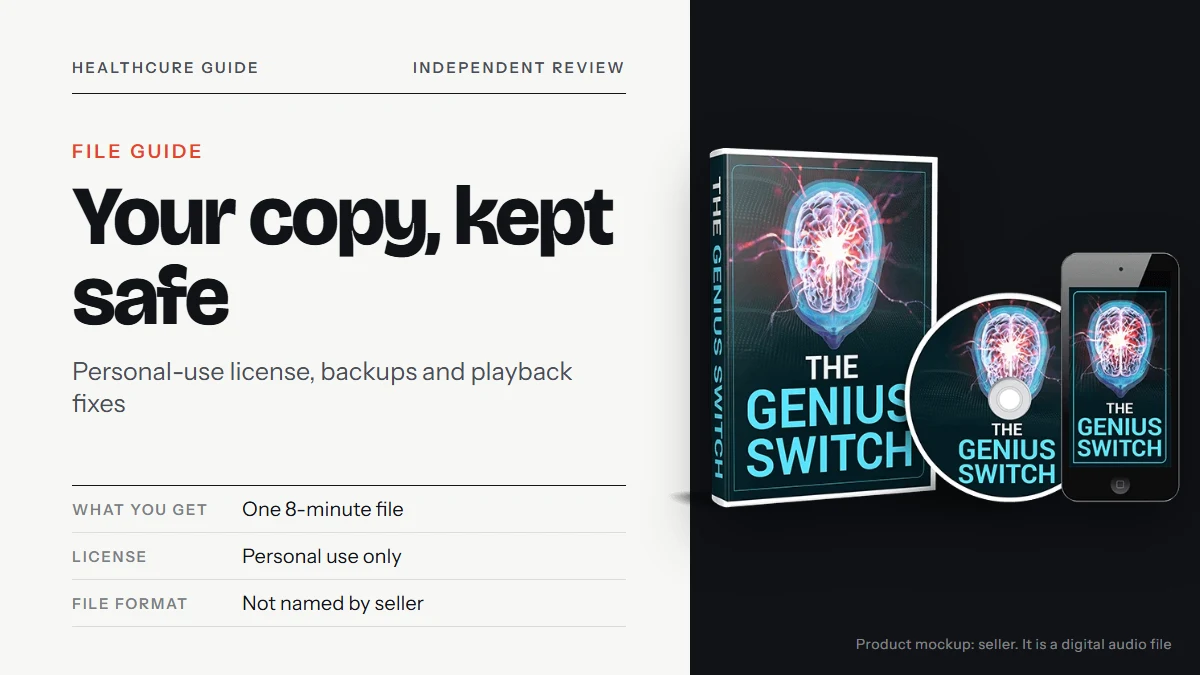
The Genius Switch file is the whole product. There is no box, no disc and no account to fall back on, so the way you handle that one download decides whether you can still play it next year. This guide covers what the Terms allow you to do with the file, a simple backup plan, how to move it between devices, a troubleshooting order for when it will not play, and why a free copy is a poor substitute.
About this site: HealthCure Guide runs independently of the seller. If you check out after clicking one of the buttons here, ClickBank may pay us a commission. Since we never purchased the track ourselves, details we could not see are marked as unknown.
The genius switch file, described from the seller’s sources
Here is everything the sales page, the video, the Terms and the checkout say about the download itself, and what they leave blank.
| Detail | What the sources say |
|---|---|
| What it is | A single digital audio track, 8 minutes long |
| How it arrives | By email straight after payment; nothing is shipped |
| Checkout wording | “Digital Product” with “Immediate access … once payment is approved” |
| Where it goes | Downloaded to a phone or a computer, per the video |
| What plays it | Any ordinary media player; it is not an app and not a game |
| Legal status | “A copyrighted digital article for personal use” |
| Extras | Four bonuses delivered with the order |
| File type | Not named |
| File size and quality | Not named |
| Attachment or link | Not stated |
The bottom three rows matter for everything that follows. Because the format is unknown, our advice below is written to work whatever extension turns up.
What personal use lets you do with the file
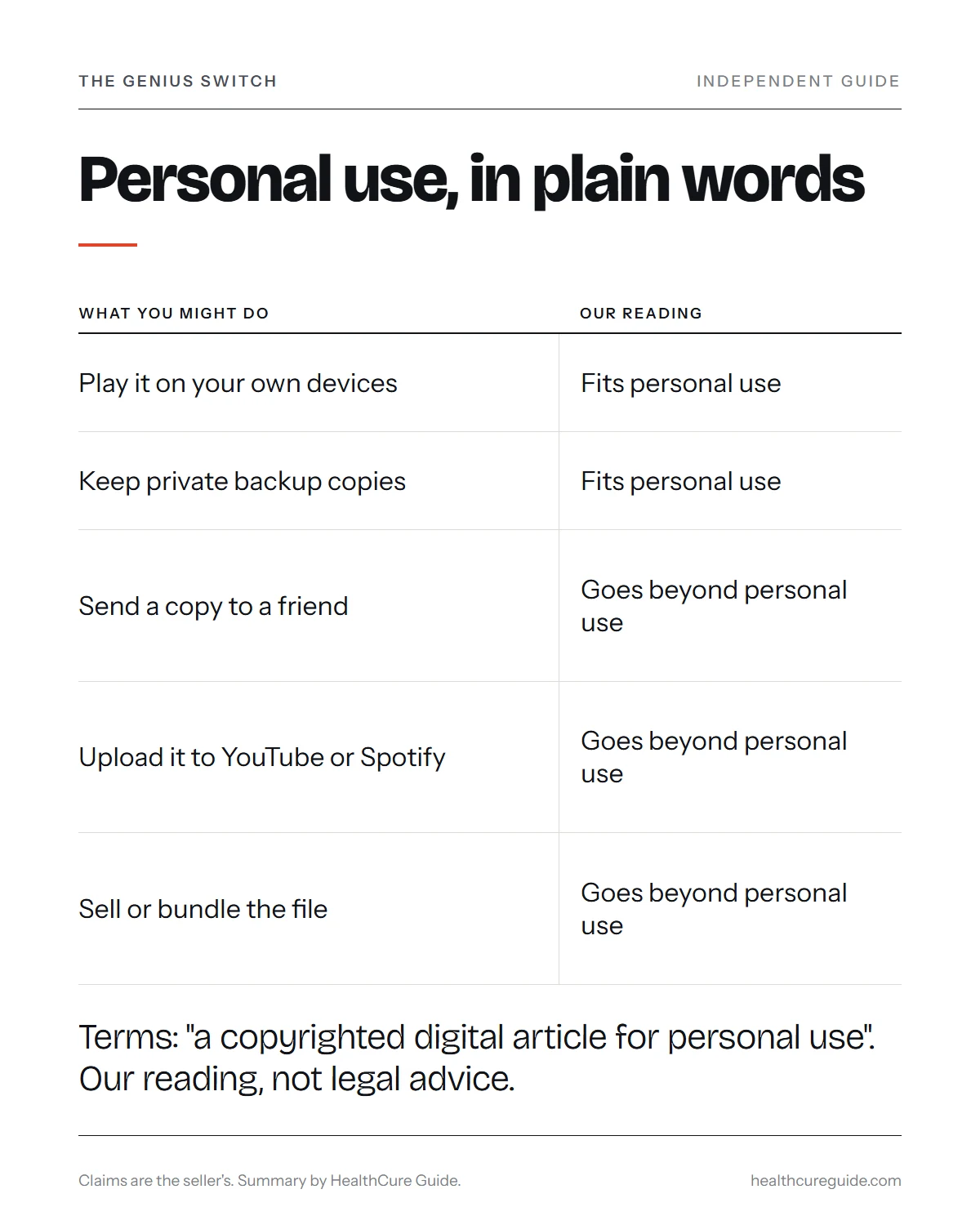
The relevant sentence in the Terms is brief. It describes the $39 purchase as a copyrighted digital article, licensed for personal use. The seller’s pages do not expand on it, so the table below is our plain reading of that wording, not legal advice.
| What you might do | Our reading |
|---|---|
| Play it on your own phone, tablet or computer | Fits personal use |
| Keep private backup copies for yourself | Fits personal use |
| Play it for yourself in different rooms or on trips | Fits personal use |
| Send a copy to a friend or relative | Goes beyond personal use |
| Upload it to YouTube, Spotify or a file-sharing site | Goes beyond personal use |
| Sell or bundle the file | Goes beyond personal use |
If someone in your household wants to try it, a separate order is the clean route. It also gives that person their own receipt and their own refund window.
Saving it properly on day one
Most lost files are lost in the first week, when a buyer plays the track straight from the email and never stores it. Ten minutes on the day it arrives prevents that.
- Open the delivery email, ideally on a computer, where folders are easier to manage.
- Save the track and the bonuses into a folder with a clear name, such as “Genius Switch 2026”.
- Leave the file name as it is, or rename only the part before the last dot. The extension tells your devices how to open it.
- Note the extension and the file size in the same folder, in a short text file or on paper.
- Play the first ten seconds at low volume to confirm it opens.
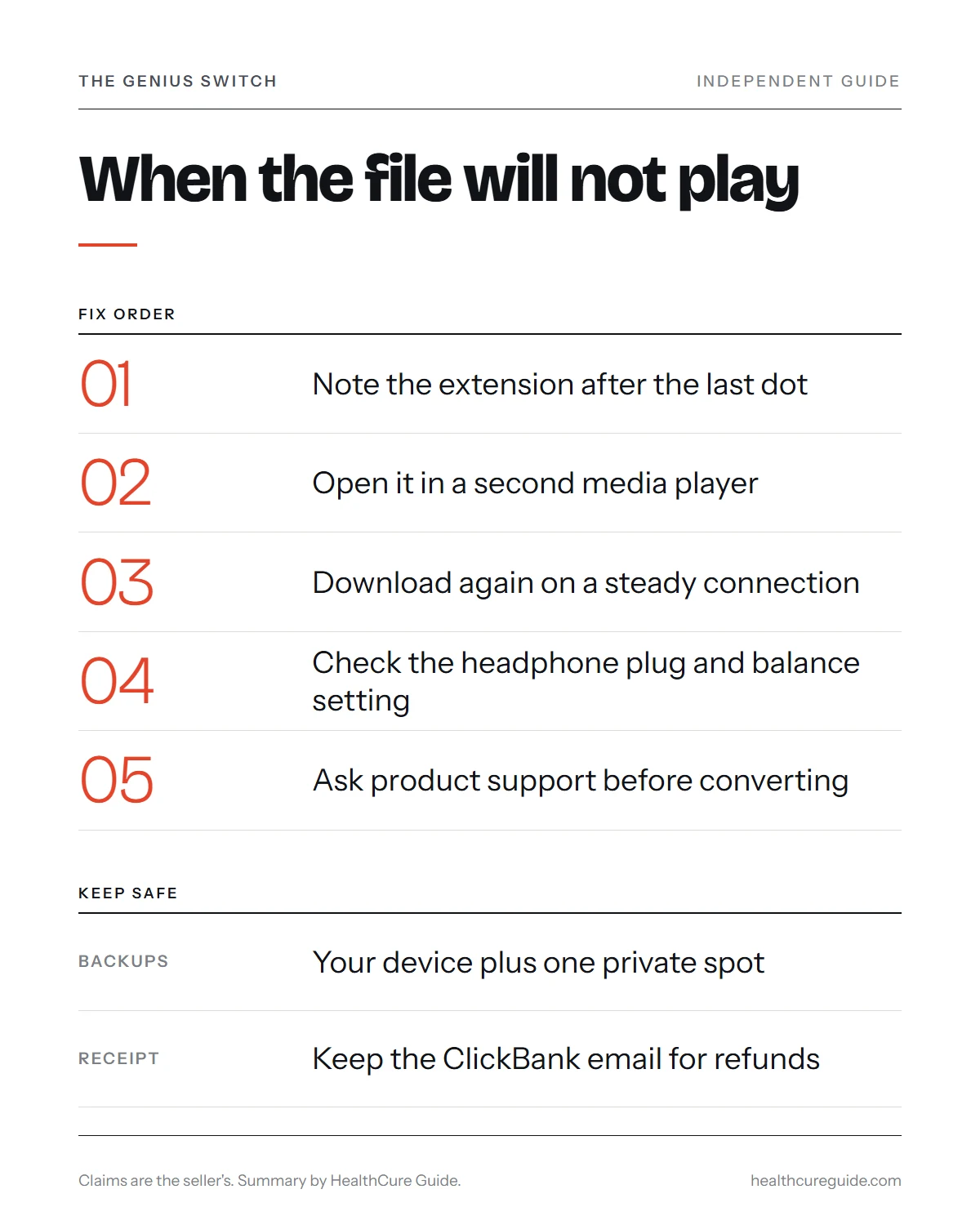
- File the delivery email and the ClickBank receipt together in one labeled email folder.
A backup plan that survives a lost phone
With no account behind it, your saved copy is your access. Aim for one copy on the device you listen with plus at least one more somewhere else.
| Backup spot | Why it helps | Watch out for |
|---|---|---|
| A folder on your computer | Easy to copy from later | Dies with the computer if it is the only copy |
| A USB stick or external drive | Survives a phone or laptop failure | Easy to misplace; label it |
| Your own private cloud folder | Reachable from any device you own | Never turn on a public sharing link |
| Your email archive | The original message may still work | Our sources do not say how long links stay live |
The cloud row has one trap. Many storage services let you create a share link with a single tap, and a public link to a personal-use file is, in effect, an upload. Keep the folder private.
Moving the file between devices
Because the track is a plain audio file, the usual ways of moving files all apply. Pick whichever you already use.
- Cable. Connect the phone to the computer and copy the file across into a music or downloads folder.
- Private cloud folder. Save it from the computer, then open the same folder in the storage app on your phone and download it there.
- Built-in wireless sharing. Most phones and computers have a nearby-sharing feature for sending files between your own devices.
- Email to yourself. This works only if the file is small enough for your mail service, which we cannot confirm.
After moving it, check one thing: some music apps show only songs bought or streamed through their own store. If your usual app cannot see the file, open it from the phone’s file manager or install a general-purpose media player.
When the file will not play
Work through the fixes in this order. Each step is quicker than the next, and none of them changes the file itself.
| What happens | First thing to try |
|---|---|
| Nothing opens when you tap it | Open it from a different media player |
| An “unsupported format” message | Note the extension, then ask product support before converting |
| It plays from the email but not after saving | The save may be incomplete; download again on a steady connection |
| The link in the email no longer works | Write to [email protected] with your order details |
| Sound in one ear only | Check the headphone plug and the device’s left-right balance setting |
| Far too loud or too quiet | Set the device volume low first, then adjust slowly |
On converters: re-encoding audio can alter fine detail, and the seller has not said whether the track depends on any such detail. A converted copy may not be the recording you paid for, so treat conversion as the very last step.
If payment went through but no email ever arrived, the file problem is really an order problem. ClickBank order support (1-800-390-6035) can look up the purchase, and the charge on your card shows as CLKBANK*GeniusSwitch.
Shared and uploaded copies are a different thing
Search the product name and you may find recordings on video and streaming sites, or links in forums and chat groups. According to the presenter, Amazon, YouTube and Spotify do not sell the track, and recordings posted on those two streaming services are not the same thing.
A copy from anywhere other than the delivery email has three problems:
- Unknown content. It could be edited, mislabeled or an unrelated tone track. With the real format unknown, you cannot even compare file details.
- No buyer protection. There is no ClickBank receipt, so there is no refund window and no support address that will help.
- Outside the license. The person who shared it went beyond personal use, and passing it on again repeats that.
Our listening safety advice applies to any tone recording, paid or free. With a copy of unknown origin, the first-listen care below matters even more.
Refunds when what you bought is a file
A digital file has nothing to post back, which keeps refunds simple. For digital products, the Terms let you ask for your money back for 90 days after you first buy, a period the ClickBank checkout also names. Requests go through ClickBank, so the receipt email is the document to protect.
The seller’s site also carries a separate Refund page that does not fit this product at all. It was written for a bottled item called “NeuroActivate”, with a 60-day limit, a rule that bottles be unopened and an Ohio return address. Go by the Terms and ClickBank instead.
Price, for reference: the sales page shows $39 as today’s price beside crossed-out reference figures, and checkout adds local currency and any tax.
Before you press play
Owning the file is the easy part. Using it sensibly comes down to a few points, which are our advice rather than the seller’s:
- Start each session with the volume low and settle at a comfortable level.
- Never listen while driving or operating machinery. The routine is 8 minutes with headphones on and eyes closed.
- If you have epilepsy, have had seizures or have a hearing problem, speak to a doctor before trying audio of this kind.
Keep the claims in proportion too. The presenter, who introduces himself as Dr. Daniel Barone, links the track to memory, insight, luck and health; those are the seller’s claims, and no published study tests the recording. The Terms include a section titled “For Entertainment Purposes Only”, and the health disclaimer on the seller’s site reads “not intended to diagnose, treat, cure, or prevent any disease”. So this file is not a treatment, and it should not replace any care you already receive.
File checklist
The Genius Switch comes down to a single licensed file, so a little housekeeping protects your $39. Save it the day it arrives, note the extension, keep a second copy somewhere private, and file the receipt with the delivery email. When it will not play, change the player before you change the file. Skip shared and uploaded copies, which are not the product and carry no refund. This guide is general information, not legal or medical advice.
Related reading
Common questions
Can I keep The Genius Switch file after the 90-day refund window ends?
Nothing in the Terms we read puts an end date on your personal-use copy, so a file you have saved stays on your device. Keep it backed up, because our sources say nothing about how long any delivery link stays active. If you take a refund, the fair thing is to stop using the track, even though the seller's pages do not spell that out.
Is it legal to give a copy to my partner?
The Terms describe the purchase as a copyrighted digital article for personal use. In our plain reading, that covers you, not a second listener with a copy of their own. We are not lawyers and this is not legal advice. If a partner wants to try it, a separate order keeps things clean and gives them their own refund window.
What file extension should I look for?
We cannot tell you, because the seller's pages never name the format. Look at the end of the file name once you save it, after the last dot. Common audio extensions include .mp3, .m4a and .wav, but the track could use any of them. Write the extension down so support can help quickly if it fails to open.
Should I convert the file to a different format?
Only as a last resort, and ask the product support email first. Converting audio re-encodes it, which can change fine detail in the sound. The seller has not said whether the track relies on any such detail, so a converted copy might not match what you paid for. Try a second media player before reaching for a converter.
Does the file need an internet connection to play?
Once it is stored on your phone or computer, it is an ordinary audio file and should play like any other without a signal. You need a connection to receive the email and save the file in the first place. After that, airplane mode or a cabin with no coverage makes no difference to a stored copy.
Is a file shared in an online group the same as the real one?
You have no way of knowing. The presenter says tracks found on YouTube or Spotify are not the same, and a copy passed around a forum or chat group is even harder to trace. It might be altered, mislabeled or something else entirely, and it comes with no receipt, no support and no refund route.
My phone was lost. How do I get the file back?
First check your backups: a computer folder, an external drive or a private cloud folder. If none exists, search your mailbox for the original delivery message and the ClickBank receipt. If the link in that message no longer works, write to [email protected] with your order details and ask for access to be sent again.