InstaDoodle Complaints: Common Questions Before You Buy
Every concern worth raising before you order, sorted by topic, with what the seller states, how the refund rule applies and where to take a question that stays open.
- Written by
- HealthCure Guide Editorial Team
- Reviewed by
- HealthCure Guide Editorial Team
- Updated
- Reading time
- 7 min read
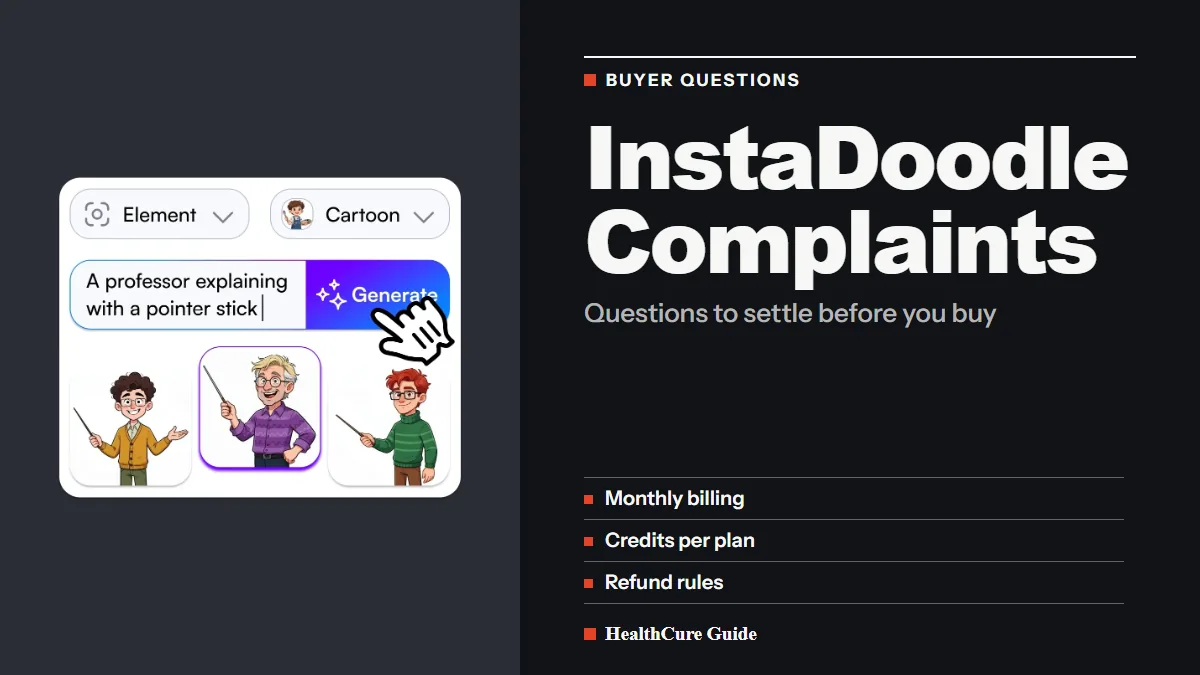
Searches for InstaDoodle complaints usually come from one place: a buyer who wants to know what could go wrong before paying. That is a sensible question, and this page gives it a direct answer. We do not quote named buyers, and we do not invent any. Instead we set out the concerns worth raising before you order, what the seller states about each one and how the rules apply in practice.
Use it as a working list. Every heading is a topic, followed by what the seller states and the step that resolves it. Where the wording is silent, we point that out instead of guessing.
Monthly billing and renewals
The central concern is the recurring charge. Three tiers exist, priced at $47, $67 and $127 each month, and the seller describes each one as continuing until the account holder stops it. A recurring charge is not a problem in itself, but it does call for a calendar reminder, because the next charge arrives whether or not a project is finished.
Stopping future charges and requesting money back are distinct steps. The first halts what comes next, while the second is a claim governed by the guarantee terms. If you want both, treat them as two actions and keep a record of each one. Mark the renewal date the day you subscribe, so the first bill never comes as a surprise. A reminder that arrives a few days ahead of the charge leaves room to review the tier before the money moves.
AI credits and the refund limit
Of all the points here, this one needs the closest reading. Every tier comes with a credit allotment, and once more than half of it is consumed, the seller’s terms take the guarantee off the table. On Standard the allotment is 150 credits, so the cutoff falls at 75. A buyer who spends heavily during the first week can reach that point quickly and lose the option of a refund.
A practical fix: log credit spend from project one, record what every scene consumes, and hold off on heavy generation while any refund claim is pending. The seller also says the cost of an action may change, so check the counter instead of relying on an estimate from last month. A simple spreadsheet with three columns, date, scene and credits used, is enough to keep you well clear of the line. Heavy use in the opening days is the pattern to watch, since it is the quickest way to reach the cutoff.
Commercial use depends on the plan
Anyone producing clips for paying clients should look at licensing first. Pro and Agency are the tiers where the seller names a commercial license. Per the seller, extra team, commercial or reseller entitlements exist only when a purchase spells them out. Standard buyers should check the terms of that tier before selling any finished work.
Reselling is another question entirely. Access to the platform itself cannot be passed on to third parties, according to the seller. The commercial right concerns the finished videos, not the software, so read both halves of that statement before you build a service around the tool. Ask the help desk in writing if the two halves seem to pull in different directions.
Support by ticket
Help arrives through a ticket system at help.instadoodle.com. Nothing on the seller’s pages mentions a phone number or live chat, so we will not claim either one exists. A ticket leaves a written record, which helps if you later need to show what you asked and when.
Open with the basics: the address tied to your account, the tier you chose and a few lines describing the problem. A screenshot helps when the issue is visual, and a complete opening message usually avoids a back-and-forth. Keep the ticket reference, because it is the easiest way to pick up the thread later. If a project has a firm deadline, raise any question while there is still time to act on the answer.
Running in the cloud: uploads and AI output
Because the tool runs online, what you enter, upload and build passes through the seller’s infrastructure and outside AI services. That arrangement is ordinary for a tool of this kind, but it deserves a plain answer. Upload only material you have rights to, and leave out private images of other people unless you have their permission.
Generated material brings its own note. Per the seller, output may fall short of exclusive copyright protection, and reviewing it before release is advised. Treat each generated scene as a draft that you check for accuracy, branding and rights before it reaches an audience.
The refund route, step by step
If the seller’s answer to a concern does not settle it, the refund route is the clearest next move. Open a ticket at the help desk and label it as a refund request. Include the email on your account, the day you bought and the order reference. According to the seller, a qualifying refund goes out within seven calendar days once the seller has what it needs. A refund ends your access and any unused benefits.
Hold on to the confirmation message, because the order reference is printed there. Our refund policy guide lists each step in more detail, so you can work through the process without guessing.
What the seller’s pages leave open
On the seller’s pages we found a few gaps worth naming. Nothing describes a phone line or live chat. The pages are silent on how long access lingers after a refund clears, apart from the basic point that a refund ends access. They also do not list every credit cost in one place, because the seller says costs may change. Where a detail is missing, we do not fill it in. The safe step is to ask the help desk in writing before you rely on the point.
Those gaps are worth knowing, but they are not reasons to avoid the product. They are questions to put to the seller before your first large project, so you start with clear answers in hand.
Reading the terms before you order
Terms pages are long and easy to skim past, so give yours a proper pass before you pay. Look for four things: how the subscription renews, what the guarantee says about credit use, which license applies to your tier and where support requests go. Those four items match the concerns covered above, so reading them first turns a vague worry into a specific question you can put to the seller.
Save a copy of the page you read, or at least a screenshot with the date, so you can point to the exact wording if a question comes up later. The seller’s terms carry a November 2026 update date, so make sure the version you read is the current one on the seller’s site. If the wording on the order page and the wording in the terms ever seem to disagree, ask the help desk in writing before you continue. The InstaDoodle hub is a good companion to this list.
InstaDoodle complaints worth checking before you buy
This page is written for careful shoppers: a teacher planning clips for the term, an owner who will publish client videos, or a trainer who wants fewer surprises. If you read the billing, credits and commercial sections closely, you will know more than a typical shopper does before ordering.
Good to know: the seller says it does not offer free versions, so budget for a monthly charge from the first order. Confirm the exact figure on the order page before you pay.
Where to take a concern that stays open
If a question remains after reading this page, put it to the help desk in writing, with the account email and the plan named. Keep the reply. The InstaDoodle review covers the feature details behind several billing and credits questions. For sign-in help after you buy, the login guide walks through the account side.
The safety page pulls the cloud, upload and renewal points into a single view, so it is a good place to finish your reading before you choose how to proceed. The InstaDoodle hub lists every page in our catalog.
Common questions
Are there InstaDoodle complaints I should know about?
This page does not quote named buyers and does not invent any. It covers the questions worth raising before you order: billing, AI credits, the refund limit, commercial use and support.
Does InstaDoodle bill monthly?
Yes. The seller lists three monthly plans, and each one renews until you end the subscription.
What happens if I use too many AI credits?
A refund is not available once more than half of the included AI credits have been used. On Standard that line sits at 75 of 150 credits.
Which plans include the commercial license?
The seller lists the commercial license on Pro and Agency. Standard buyers should check the plan terms before publishing client work.
How do I get support?
Open a ticket at help.instadoodle.com. Refund requests use the same help desk, with the subject Refund Request.