Teds Woodworking complaints: the questions buyers raise, answered
The worries people usually voice before paying for the plan library, each one answered with what the seller states and what you can check yourself.
- Written by
- HealthCure Guide Editorial Team
- Reviewed by
- HealthCure Guide Editorial Team
- Updated
- Reading time
- 7 min read
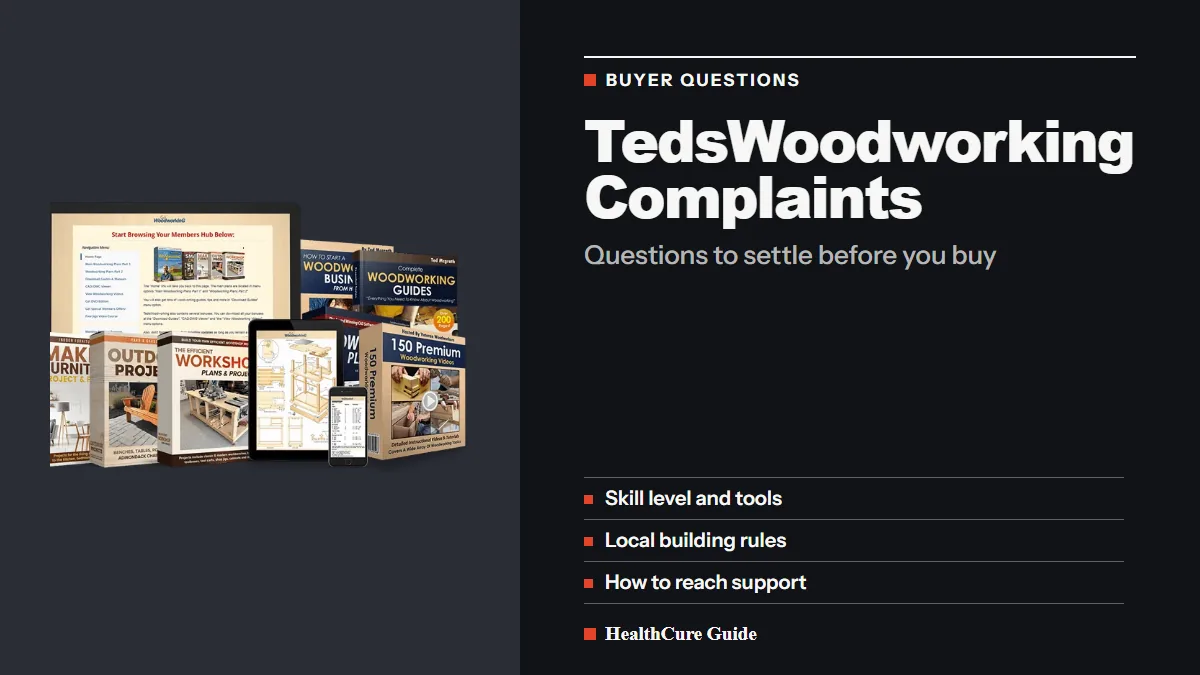
If you are searching for Teds Woodworking complaints, you are asking the right question before you pay for anything. A plan library is only worth the money if it suits your skill, the equipment you own and the rules where you live, and the worries people voice tend to cluster around those three points. This page takes the questions in turn, and the hub page gathers the other pages. For each one we set out what the seller states, what you can check for yourself, and the route to take if the answer does not satisfy you.
We have not collected a stack of buyer complaints to rebut. Instead, the sections below answer the questions a careful buyer usually asks, based on the seller’s own published material and on the practical facts of woodworking. Where the seller makes a claim we cannot check, we say so.
Will the plans fit my skill level?
According to the seller, the designs skew toward beginner work, followed by intermediate builds and a small number at expert level. The library can be sorted by difficulty, so a shelf or a planter can be your first build, with harder ones later. Think of the difficulty tag as a first filter rather than a final verdict, and confirm it yourself by reading the plan.
Two cautions apply. First, a difficulty tag measures how hard a drawing is to follow, not how safe the build is. Second, even a beginner plan demands accurate cuts and square joints. If power tools are new to you, practice on scrap wood first, and keep to the maker’s handbook before the blade turns on.
What if a plan is harder than its label?
Difficulty labels are a guide, and a guide can be off for a particular builder. A plan marked beginner may ask for a joint you have not cut before, or a glue-up that needs more clamps than you expected. Study the entire drawing set before any cut, not just page one. Count the steps, look at the exploded view for any sub-assembly that surprises you, and check the materials list against your stock.
If a plan feels beyond you, the answer is not to force it. Pick a simpler design in the same category, or use one of the bonus guides to practice the technique first. Nothing about a digital library obliges you to start at the hardest plan on the shelf.
Which tools do I need?
Per the seller, plans usually lean on a table saw, plus a drill, clamps and a sander. Treat that as a shopping list to verify, and check it on every plan before you buy. Since each plan has a materials list, the hardware and finish show up before you spend a dollar.
If you lack a table saw, look for plans whose tool lists lean on a drill or hand tools, and check each one before you buy lumber. The library holds guides on hand tools and joints as one of the bonuses, which helps if you want to work without power equipment for the first few projects.
Do I have to follow local building rules?
Yes, and the seller says so too: its designs are not drawn to meet any building code. Before you start a shed, a deck, a bunk bed or another structure, ask your local building office, since permit rules, setback distances and wiring requirements differ by area and a plan cannot settle them for you. Bring the plan and your site details to that office, since staff can only advise on what they can see.
Keep to the maker’s handbook for every power tool, and protect your eyes and ears. Those habits are not optional, and no digital plan can replace them.
Where to send a support request?
Support lives on the seller’s help pages, where a ticket form sits, and members sign in through their own area to reach the plans. We did not find a printed phone number or a public email address on the pages we read, so the ticket form is the main route. Include your order details in the request, and store your confirmation email alongside the order number.
A useful support message is short and specific. Say which plan you are working on, what you expected to see and what you actually see, and attach a screenshot if the problem is on screen. Do not include your password in any message. For billing questions, the ClickBank desk at clkbank.com offers another path. Using both routes is sensible when the first one is slow, because each keeps its own record. Note the date of each message and any reference number you are given. Keep a short log of what you sent and when, so the record is easy to hand over if the matter goes further. If a reply takes longer than you expected, a short follow-up that quotes the first message is usually the quickest way to move the matter forward.
Can I get a refund?
Refund cover is sixty days long under the seller’s terms. Reach the seller via its support page with your order details, and the seller reports that money returns within 48 hours. Keep the confirmation email, because it is your proof of purchase. ClickBank handles the charge, so its order support can step in if the seller stays quiet.
A partial disappointment is still worth raising. If the library covers most of what you wanted but one part of the package falls short, say so to the seller in plain terms and describe what would have helped. The guarantee is about a full refund, so you do not have to accept a half-finished arrangement in silence, and a clear message gives the seller a chance to fix the gap.
Send a refund request as soon as you know the library is not right for you, with your order details ready. Our refund write-up lays out the steps in sequence.
What about the files themselves?
Plans arrive in PDF and DWG form. A no-cost reader handles the PDF sheets, while the bonus DWG viewer handles the CAD drawings. Printing is the usual choice for a workshop, since a paper cut list survives sawdust better than a phone screen does. Print at the scale the plan states, and measure one known dimension on the printout before you trust the rest of the sheet. Most plans are described as offered in imperial and metric, which helps when your lumber comes in a different measure from the plan. If a file will not open, check the software first, then write to the seller with the file name.
For more on how the files are arranged, read our PDF guide, which covers printing and devices. The safety page collects the building and tool notes in one place, and the hub page keeps the rest of the set together.
Is the library a poor match for you?
The honest answer is that a plan library suits some projects and some people better than others. If furniture delivered ready to use is your goal, or one design is all you want, this will not fit, and it is better to find that out before you pay. If a steady flow of drawings appeals to you, the refund cover gives a fair window to settle the question.
Think about your first three months as the real check of fit, not the first afternoon. By then you will know whether you return to the library, whether the drawings match the way you work and whether the tool list is one you can meet. If the answers are no, the guarantee is there for exactly that case.
Remember that the building rules and the tool safety belong to you. No plan library takes them off your hands, and the seller says as much.
Teds Woodworking complaints in short
The questions here cover five areas: skill, tools, local codes, support and refunds. The seller answers each one in its own terms, and the rest you can check yourself on the plan page before you buy. Read the difficulty and tool list, keep your order details, and use the support page if anything does not match what you were told.
Common questions
Are there known Teds Woodworking complaints?
We did not build a list of buyer complaints. This page answers the questions people raise before paying, using the seller's published material and the points you can check yourself.
Are the plans only for experienced woodworkers?
Per the seller, the designs skew beginner-friendly, with intermediate ones alongside and only a few at expert level. Read the difficulty and tool list on each plan before you start.
Do I need special tools?
Per the seller, plans usually lean on a table saw, plus a drill, clamps and a sander. Check the tool list on the specific plan you want.
What if I have a problem with the files?
PDFs open in a free reader and DWG files need the bonus viewer. For anything else, use the seller's help pages and include your order details.
What happens if the library is not right for me?
Sixty days of refund cover apply under the seller's terms. Write through its help pages with your order details, keep the confirmation email, and note the stated 48-hour return time.