What Is InstaDoodle? How This Doodle Video App Works
A plain walk-through of the app, from the first sentence you type to the file you export. See which steps it handles for you, what the seller's numbers mean and where the plans begin.
- Written by
- HealthCure Guide Editorial Team
- Reviewed by
- HealthCure Guide Editorial Team
- Updated
- Reading time
- 7 min read
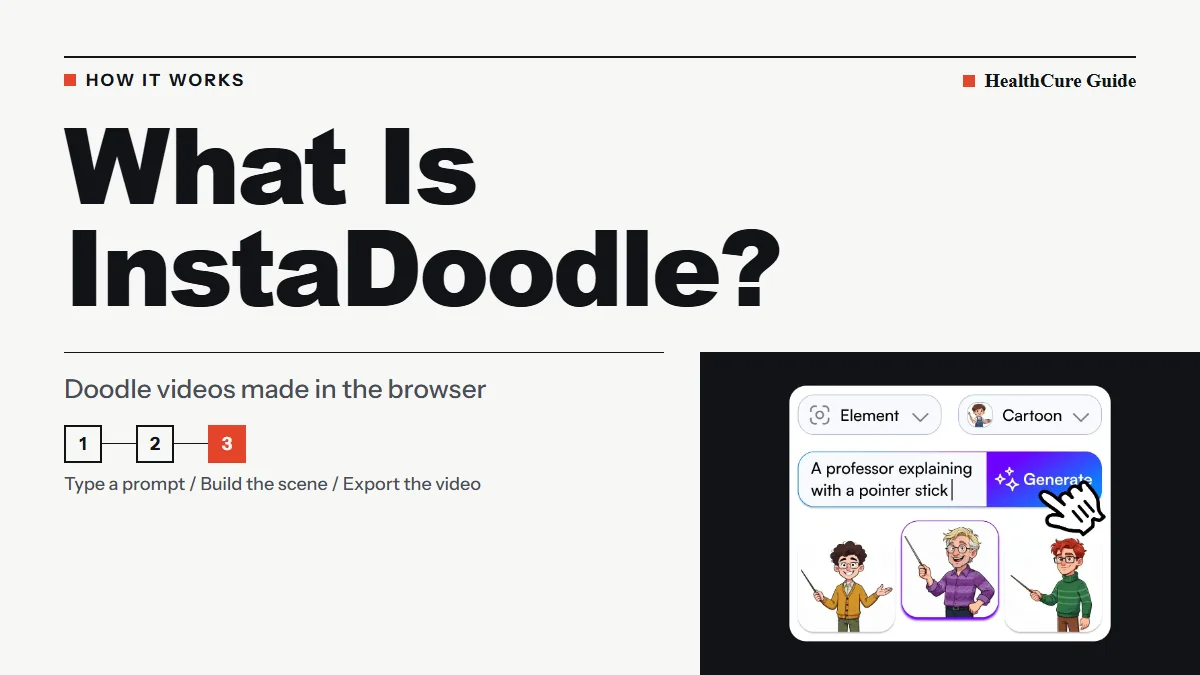
Imagine an explainer whose characters are already sketched, whose scenes already run in sequence and whose narration is ready to drop in. That is the pull behind InstaDoodle. You write out the video you have in mind, and the app converts those words into a doodle-style animation you can polish. If you have been asking what is InstaDoodle and whether it could replace a slow, hand-built process, this guide walks through the product from the first prompt to the finished file. For prices and plan details, the seller’s own page is the reference, and our complete product hub keeps the rest of our notes in one place.
What is InstaDoodle, in one paragraph
InstaDoodle is a cloud web app for making doodle videos, the hand-drawn style of explainer where lines appear on screen, figures sketch themselves and a narrator talks over the scene. Nothing has to be downloaded or installed. You open the app in a modern browser, work in the editor, and a proprietary engine named DoodleAI takes on most of the sketching. Because the work runs in the cloud, there is no heavy software on your machine to keep up to date.
The workflow, from prompt to export
The app follows a sequence that most makers will recognise from other video tools, with the drawing done for you at the start.
- Describe the scene. Type a plain sentence about what the video should show, such as a coach walking a team through a routine. DoodleAI proposes characters and elements that match the sentence.
- Arrange the scenes. Move the pieces around the canvas, split the video into scenes and set the order in which they play.
- Choose the motion. Set how each element enters. The menu covers draw, wipe, slide, fade and pop-in, so a single lesson can mix a slow sketch with a quick pop.
- Add a voice and some music. Generate a narration from your text or record your own voice, then place background music underneath it.
- Export in the shape you need. Pick the format that fits where the video will live, and the app renders it in the cloud.
Most of the time-consuming parts sit in steps one and three. You still choose the words, the order and the pacing, which keeps the final result in your hands.
What DoodleAI draws for you
The engine is what makes the workflow feel quick. DoodleAI takes your sentence and produces characters, objects and background pieces that suit it. By the seller’s count, the library holds upward of a thousand ready-made doodle elements, which means a figure, a chart or a simple prop is rarely a blank-page problem. A photo can also be turned into a sketch-style image through the app’s image-to-sketch feature, which is useful when a real product or place needs to appear in the drawing.
Look is adjustable too. The seller lists six AI styles, and the drawing hand that appears on screen can be set to a realistic or a doodle style. Those two choices let one project feel formal for a client and playful for a classroom, without changing the story you are telling.
Animation, voice and music in one project
With the sketches in place, motion comes next. Every element can enter through draw, wipe, slide, fade or pop-in effects, and slide transitions move the audience between scenes. Voice lives inside the same project. You can generate narration from text, or upload a recording of your own voice if you want the audience to hear a familiar face. Background music sits underneath, and the volume of each layer is set in the same editor.
Keeping every layer in one project matters more than it sounds. You change a line of narration and the timing follows, instead of exporting three separate files and stitching them together in another program.
The export formats and where they usually land
The output comes in four shapes. Choosing the right one saves you a second render later.
| Shape | Where it usually lands |
|---|---|
| 16:9 | Slide decks, training portals and wide video players |
| 9:16 | Phone-first stories and short vertical clips |
| 4:5 | Feed posts that fill more of the screen |
| Square | Profile-sized posts and mixed social feeds |
The seller lists all four in the editor. If one video needs to appear in two places, build it once in 16:9 and check how the layout reads in a vertical crop before you export the second version.
What the seller’s numbers mean
The numbers the seller publishes describe the toolbox: over 1,000 doodle elements, 14 or more starter templates, eight drawing hands and six animation types on the base tier. They measure how much you can pick from, not how your finished clip will land. A template gives you a structure to begin from, and the elements give you pieces to rearrange. The Pro plan adds several thousand PRO elements and characters, which the seller lists as a separate set.
The Standard plan also comes with 150 AI credits. Credits are the units the app uses when it drafts, and they matter for the refund rule covered below, so it pays to track how quickly you use them from the first project.
A first project, start to finish
Suppose you need a sixty-second explainer on how to reset a router for a help-desk team. You type one sentence that names the steps, and DoodleAI proposes a figure at a desk, a router and a few arrows. You move the pieces so the router sits in the middle of the first scene, then set the router to draw in while the arrows slide across. A narration written in your own words goes in next, with light background music underneath. Finally you export the 16:9 version for the training portal and a 9:16 cut for the team chat.
The whole loop lives in one project. A change to the wording is made in the same place as the timing, so you are not rebuilding the video from the start each time a sentence changes. That is the kind of job the app is built for: a clear idea, a handful of scenes and a finished file in one session. Shorter scenes are usually easier to follow on a phone, so trim where you can before you export the vertical version.
Who gets the most from it
Classroom instructors breaking down a process, people designing onboarding clips, owners who want a quick product tour and channel hosts who publish explainers all match the profile the seller sketches out. The workflow suits people who already know what they want to say and need the drawing and motion handled quickly.
It is a weaker match if you want hand-animated frame-by-frame film work. The app shortens the path to a finished doodle video, and it does not replace a traditional animation studio. Knowing that up front helps you buy the right tool.
Plans, billing and the guarantee in brief
The app runs on three monthly plans: Standard at $47 a month, Pro at $67 a month and Agency at $127 a month. The seller says you can cancel anytime, and the subscription renews until you end it. The order page shows the exact plan and price before you pay, so check it against this page before you confirm.
The seller backs the purchase with a 60-day money-back guarantee. The credits rule sits next to it: a refund is not available if more than half of the included AI credits have been used. Our guarantee write-up walks through the wording, and the price page sets the three figures side by side.
Good to know: your inputs travel through the seller’s systems and those of third-party AI providers, so send only images and voices you are entitled to use.
Where to go next
Ready to learn how sign-in works after checkout? Read our InstaDoodle login guide. Prefer the monthly figures in one table? The InstaDoodle price breakdown sets them out, and the InstaDoodle review goes deeper on the plans. The what’s included page lists the features plan by plan, and the hub gathers every page in one place.
Common questions
What is InstaDoodle in simple terms?
It is a cloud web app for making whiteboard-style doodle videos. You describe a scene, the app drafts the drawings, and you add motion, voice and music before exporting.
Do I need to install anything?
No. The seller describes it as a cloud web app that works in a modern browser, so there is nothing to download or install on your computer.
What can I export?
The seller lists 16:9, 9:16, 4:5 and square formats, so one project can suit a slide deck, a phone story or a feed post.
How much does it cost?
The seller lists three monthly plans: Standard at $47 a month, Pro at $67 a month and Agency at $127 a month. The order page shows the exact plan and price before you pay.
Can I ask for a refund if I do not like the output?
The seller offers a 60-day money-back guarantee, but a refund is not available if more than half of the included AI credits have been used. Read the refund steps before you rely on it.