InstaDoodle Reviews 2026: What the App Offers Now
A 2026 snapshot of the doodle video app: the current monthly plans, the features each one lists, the refund rule that shapes the first month and who should consider it now.
- Written by
- HealthCure Guide Editorial Team
- Reviewed by
- HealthCure Guide Editorial Team
- Updated
- Reading time
- 7 min read
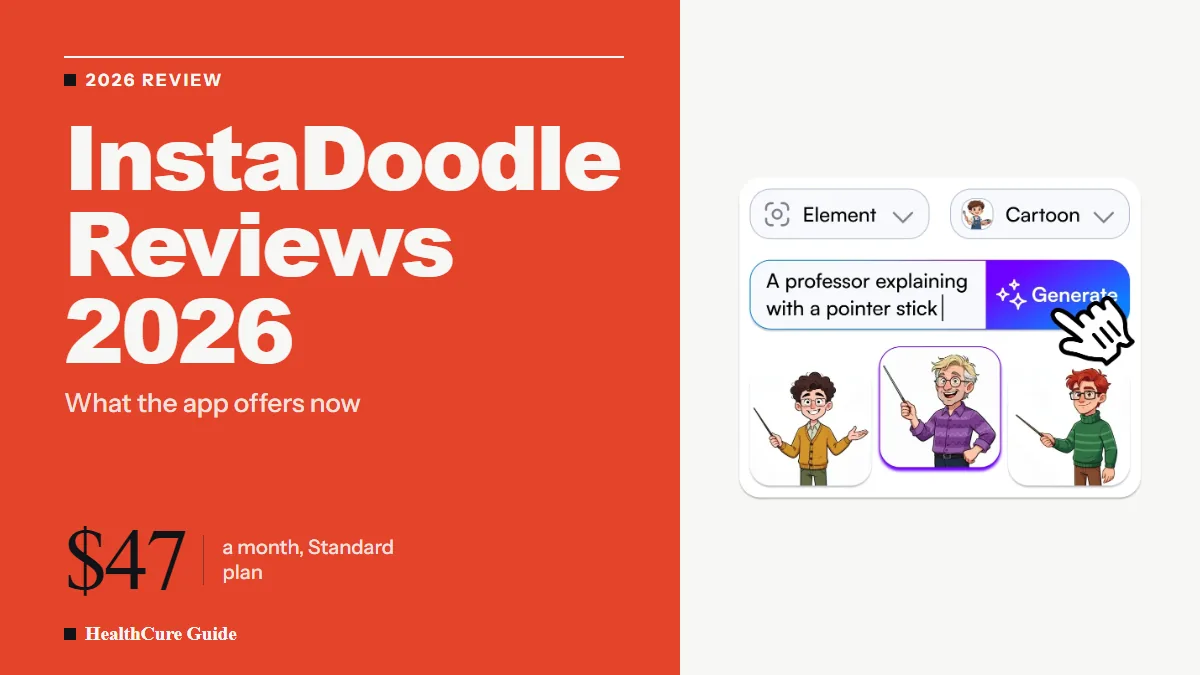
Anyone reading InstaDoodle reviews in 2026 is really asking one question: does this doodle video app still make sense now, with its current plans and rules? This page answers it from a dated snapshot. We checked the seller’s pages on 24 November 2026, and everything below reflects what those pages showed on that day. Figures can move, so the order page always has the last word.
Our short view is that the app is a credible cloud tool for explainer videos, with a monthly price that starts at $47 and a refund policy that carries one important limit. The rest of this page sets out the detail behind that view.
What the app offers now
InstaDoodle is a browser-based editor. The seller describes DoodleAI as the engine that drafts characters, props and backgrounds from a text prompt. You arrange the scene, choose how each element enters, add narration and background music, and export in the shape you need. Output options include 16:9, 9:16, 4:5 and square formats.
The base plan carries the core toolkit: a library of ready-made doodle elements, more than a dozen templates, a set of drawing hands and a handful of animation styles. Higher tiers add a much larger element library, extra export sizes and team tools. Nothing in the editor requires a download, which keeps the entry step short for someone who wants to start the same afternoon.
Plans as checked on 24 November 2026
The seller lists three monthly plans. Standard is $47 a month, Pro is $67 a month and Agency is $127 a month. Each one renews until the subscription is stopped. The Pro plan lists the commercial license and a music-track bonus, and the Agency plan adds the script generator, a tool for working with your own videos and multilingual voices.
The official page lists monthly plans from $47 a month; the order page shows the exact plan and price before you pay. That line is the honest summary of what we saw, and it is the reason we advise checking the checkout screen one more time before confirming.
The refund rule in 2026
The guarantee is 60 days, and it is usually the first point worth checking. The seller’s policy adds a condition that changes how the guarantee works in practice. Once more than half of the AI credits included with your plan have been used, a refund is not available. On Standard, the included amount is 150 credits, which puts the line at 75.
Refund requests go through the help desk, with the subject line Refund Request, the account email, the purchase date and the order number. The seller says eligible refunds are processed within seven calendar days once it has what it needs. A refund ends access and unused benefits, and cancelling a subscription is a separate step from requesting money back.
What the 2026 offer does well
The strongest point is the speed from idea to draft. A plain sentence becomes a set of characters and elements that you can then arrange. For a teacher, a trainer or a small business owner, that means a first explainer can take shape in one working session rather than a week of drawing and timing.
The second strength is the range of export shapes. A single project can serve a slide deck, a vertical phone clip and a square social post with little rework. The third is the presence of a help desk and published paperwork, which gives a buyer a route for questions and a written record of the terms.
A fourth point is easy to overlook: the app asks for no installation and no special hardware beyond a current browser. That makes it simple to start the workflow on whatever machine you already own, and it lowers the cost of switching a project from one device to another. For a busy household or a small office, that practical convenience counts for more than a long feature list.
Where the 2026 offer asks more of you
Three points deserve your attention. Billing is monthly and renews until stopped. The guarantee falls away once half the credits are used, so credit discipline matters from the first project. And the commercial license is tied to specific plans, so a Standard buyer who plans to sell client work must read the plan terms first.
These are not dealbreakers for everyone, but they are the reason our editorial score sits at 7.6 out of 10 rather than higher. A fourth consideration is the seller’s note that credit costs may change over time. That is a reason to keep your own running record of credit use, rather than trusting a figure you saw months earlier. The score is ours, and it reflects the current mix of strengths and limits rather than any figure the seller publishes.
InstaDoodle reviews 2026: the verdict we reached
Our verdict for 2026 is positive for the right buyer. That buyer explains ideas on screen, works in short bursts and reads the credits rule before the first generation. For that person, the combination of a quick editor, a large element library and a 60-day guarantee with a clear limit makes a solid case.
For a buyer who needs heavy footage, a long narrative film or a commercial license on the cheapest tier, the answer is less clear. Those buyers should compare the tiers carefully and read the terms for their use before ordering.
Who should consider it in 2026
Four kinds of buyer fit the 2026 offer well. A teacher who wants a recap clip after each lesson, a trainer who builds short onboarding videos, a small business owner who explains a service in under a minute and a freelancer who makes explainers for clients on the Pro tier. Each of them benefits from a cloud tool that starts quickly and exports in several shapes.
Buyers who want a fully manual animation workflow, or who expect to produce hours of footage each week, should look at other options. The app is built for diagrams, characters and spoken explanations, and it shows its best side inside that range. Keep in mind that it is a tool for making explainers rather than a general video studio, and matching that scope to your needs is the most useful step in any review. Your first month is the period to watch most closely, since the credits threshold and the renewal date both arrive early.
A quick fit check for 2026
Before you commit, answer four questions in writing. How many clips will you finish in a typical month? Will any of them reach paying clients, which points toward Pro or Agency? How many AI credits will one scene use in your own style of work? And which device and browser will you use most often? Short answers to those four questions turn a broad review into a plan you can act on.
If your answers describe a steady flow of short explainers, Standard is a logical starting point. If they describe client work with higher export needs, the Pro step earns its place. If they describe scripted, multilingual projects built in one workspace, the Agency tier is the one to examine. In each case, the right tier follows from your own output rather than from a claim made by anyone else. The InstaDoodle hub has the plan list in one place.
What to check before you click
Before you start, do three things. First, confirm the plan name, the per-month label and the renewal wording on the order page. Second, note the date you buy, the order number and the email on your account, so the refund route stays simple if you need it. Third, track your AI credits from the first project, because the guarantee limit is the point most likely to surprise you later.
Our InstaDoodle review gives the feature detail behind this snapshot. The price guide breaks down each plan, and the comparison checklist gives you questions to ask about any doodle-video tool.
Good to know: the seller says it does not offer free versions, so plan for a monthly charge from the first order. Our full plan notes sit on the FAQ page of our catalog, and the InstaDoodle hub links every page in between.
Common questions
Is InstaDoodle still worth it in 2026?
For a buyer who explains ideas on screen and works in short bursts, the app fits well. Our editorial score is 7.6 out of 10, and the credits rule matters as much as the price.
What do the InstaDoodle plans cost in 2026?
As checked on 24 November 2026, the seller lists Standard at $47 a month, Pro at $67 a month and Agency at $127 a month. The order page shows the exact plan and price before you pay.
What changed in the offer for 2026?
We checked the plans, the features and the guarantee on the seller's pages in late November 2026. We cannot tell you what changed earlier, so treat this page as a dated snapshot.
Does the 2026 guarantee have a limit?
Yes. The 60-day money-back guarantee does not apply once more than half of the included AI credits have been used. On Standard that line sits at 75 of 150 credits.
Which plan should a 2026 buyer start with?
Standard suits one creator with a steady flow of short explainers. Pro is the step for commercial and higher-resolution work, and Agency suits teams that script and record in one project.
Where should I check before ordering?
Start at the seller's own address, instadoodle.com, and confirm the plan name, the per-month label and the renewal wording on the order page.