InstaDoodle · FAQ
InstaDoodle FAQ: Plans, Credits, Refunds and Support
Straight answers to the questions buyers ask before they order, with the plan, credits and refund details in one place and a clear route to the official order page.
- From $47/month
- 60-day refund
- Software & Creator Tools
At a glance
- Refund window
- 60 days
- Lowest price
- $47
- per month, Standard package
- Written by
- HealthCure Guide Editorial Team
- Published
- Reading time
- 8 min read
Before clicking through, most shoppers want a few specifics. InstaDoodle runs on a monthly cloud model, meters work through credits and ties its refund rule to credit consumption, so precision counts. The entries below address what usually surfaces first, and every answer tracks the seller’s own publications.
Missing your question? Start with the seller’s support queue. Account, invoice or refund matters are handled fastest when the ticket carries your order particulars.
Quick answers at a glance
| Question | Short answer |
|---|---|
| Price points | Standard $47, Pro $67, Agency $127 (monthly) |
| Billing | Monthly, renewing until you cancel |
| Versions | The seller says it does not offer free versions |
| Platform | Cloud web app, nothing to install |
| Credits | 150 AI credits on Standard |
| Refund promise | 60 days, reduced by credit consumption |
| Commercial rights | Pro and Agency, per the seller |
Plans and billing, in more detail
Each tier is charged monthly and keeps renewing until you end it. Stopping the subscription is possible whenever you choose, according to the seller. Ending billing and asking for money back are separate procedures, so handle both if you need both. Your confirmation email is the paper trail for the plan and the order.
Tiers stack upward. Standard delivers the whole pipeline from prompt to export. Pro layers on a bigger element catalogue, fonts and backgrounds you can customise, higher-resolution output and commercial rights. Agency brings scripting and voice features aimed at heavy workloads. Full lists live on the comparison and price pages. Reading the answers in order helps: plan basics first, then credits, the refund rule and finally the commercial and upload terms. That sequence mirrors the usual path to a confident purchase.
Credits and the refund limit
Keep a close watch on credits. Standard includes 150, and the terms warn that per-action cost can shift. Consumption also determines refund eligibility: past the halfway mark of the bundled allowance, that option is gone. On Standard, the cutoff sits above 75 of 150.
The practical habit is simple. Plan your scenes in advance, skip any generation you do not need, and stop generating while you wait on a refund review. A calm pace protects your options, and it also helps you keep a clear picture of what each project costs in credits.
Support and the order page
Assistance comes from the help desk at help.instadoodle.com; open a ticket there. Refund tickets should be titled Refund Request and should list the email tied to your account, the day you purchased and the order reference. Per the seller, qualifying refunds move forward within a week of the seller holding complete details. Access and leftover benefits end once a refund is paid.
Verify each item on the order screen before paying: plan name, monthly amount, the Pro-only bonus and the guarantee wording. Where the screen and this site disagree, the screen controls, and a ticket can clear up doubts.
Commercial use and rights
Pro and Agency include commercial rights per the seller. Standard buyers planning client or paid work should read its terms first, and reselling platform access is off limits everywhere. Because AI output may fall outside exclusive copyright, check each clip before release.
Under the terms, what you upload runs through the seller’s systems and outside AI services. Send only fonts, voices, pictures and tunes you are authorised to use. Details are on the safety page.
What the app is like to use
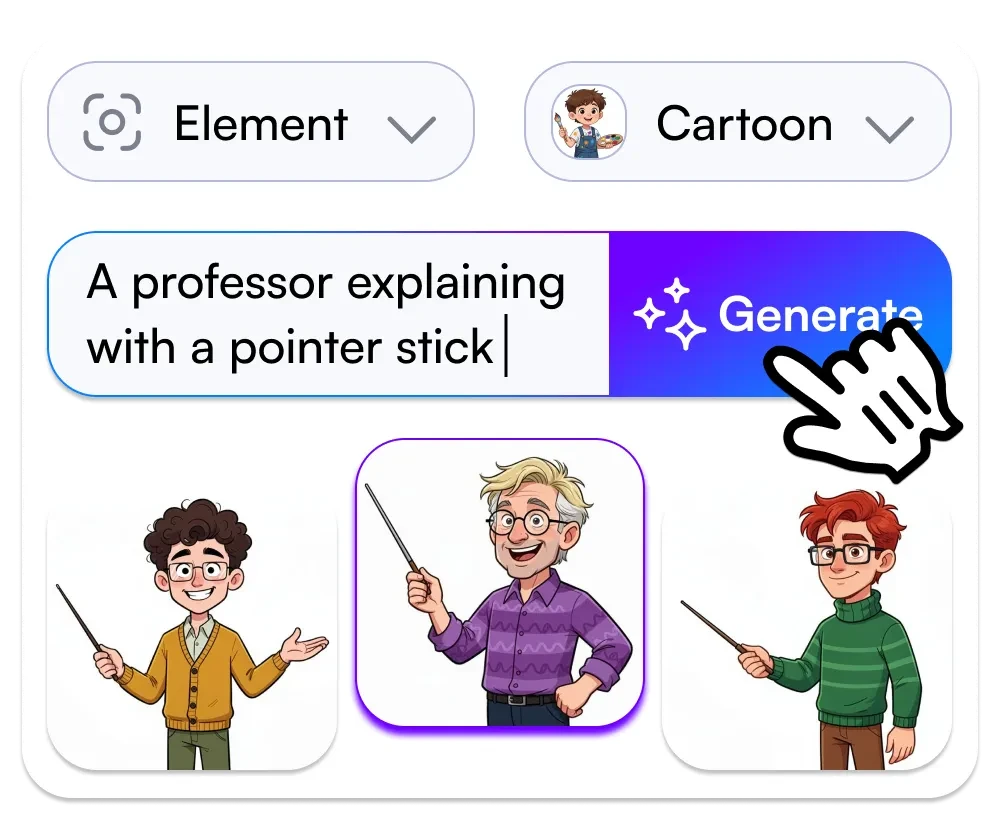
Scenes are the unit of work. Describe the moment, DoodleAI proposes figures, props and backgrounds in one of six looks, and you place, pick a hand, set motion, layer narration and music, then export in one of four shapes. Templates and the stock library provide a launch pad for a first project.
Before your first project
A first project goes more smoothly when you plan it on paper. Write the script in short scene blocks, one sentence per moment you want on screen. Mark which scenes need your own voiceover, which need background music and which need a specific doodle element. That list tells you how many generations you are likely to run.
Next, estimate the credits. Standard includes 150, so a rough count of scenes and retries gives you a sense of the balance you will use. If the estimate sits close to the halfway mark, reduce the number of retries, reuse a finished scene where possible and check the output before generating again.
Finally, review everything before publishing. Check the characters, on-screen text, the voice and any music. Confirm that the uploads you used are yours to use. Keep the confirmation email and the order reference somewhere easy to find, so a question can be answered quickly if one comes up later.
Still have a question?
Pick the page that fits your question: the review holds our editorial take, what’s included breaks features down by tier, benefits describes the workflow payoff, and where-to-buy walks through the order route. For the seller’s own pages, see the official website section.
InstaDoodle FAQ
What is InstaDoodle?
A cloud web app for doodle-style explainer videos. You describe a scene, DoodleAI draws the characters and elements, and you add animation, voiceover and music before exporting the finished video.
How much does it cost?
The official page lists three monthly plans: Standard at $47 a month, Pro at $67 a month and Agency at $127 a month. The order page shows the exact plan and price before you pay.
What are AI credits, and how many do I get?
The seller lists 150 AI credits on Standard. Credits are usage units, and the seller says their cost per action may change, so keep an eye on your balance while you work.
How does the money-back guarantee work?
It is a 60-day money-back guarantee with one limit: a refund is not available if more than half of the included AI credits have been used. On Standard, using more than 75 of 150 credits ends eligibility, so stop generating while a request is reviewed.
How do I ask for a refund?
Open a ticket on the seller's help desk at help.instadoodle.com with the subject Refund Request. Include your account email, purchase date and order number, and keep your confirmation email.
Can I use the videos commercially?
The seller lists a commercial license on Pro and Agency. Standard buyers should check the plan terms, and you may not resell access to the platform.
Does it need a download?
No. It is a cloud web app that works in a modern browser on Mac, Windows or any device with one. There is nothing to install.