InstaDoodle · Review
InstaDoodle Review: Plans, Features and Guarantee
Our full look at InstaDoodle: what the app does, who it suits, what each monthly plan adds, how the guarantee works with its credits limit, and where we land on the overall value.
- From $47/month
- 60-day refund
- Software & Creator Tools
At a glance
- Refund window
- 60 days
- Lowest price
- $47
- per month, Standard package
- Written by
- HealthCure Guide Editorial Team
- Published
- Reading time
- 9 min read
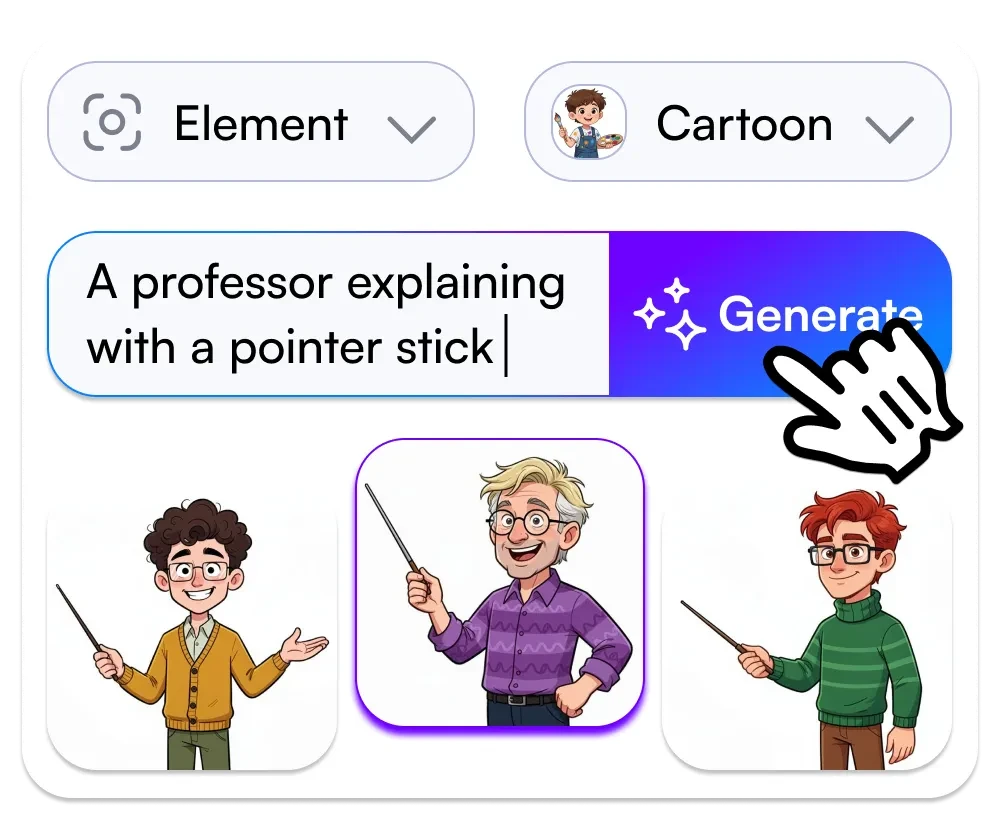
This is a browser-run tool for doodle-style explainers. A prompt goes in, DoodleAI sketches the cast, props and scenery, and you then place, animate and narrate the result. Among whiteboard-video options it stands out for being approachable, and that is what this review examines.
Below we walk through who it suits, what each plan includes, how the guarantee works, what we like and where we would be careful, and our overall verdict. The score at the end is our own editorial view, not a public score from anyone else.
What InstaDoodle is
Think of it as a doodle video studio that lives in a tab. The seller pitches it as AI-driven explainer creation from short text prompts, with your typed words serving as the storyboard. No installer is needed; a current browser on Mac, Windows or another device is enough, and projects are kept online.
DoodleAI is the engine. Give it a description and it returns doodle-style people, objects and backdrops; photos can also be converted into sketch-style art. On the base tier the seller counts more than a thousand built-in elements and 14-plus starter templates, and says the software handles any language.
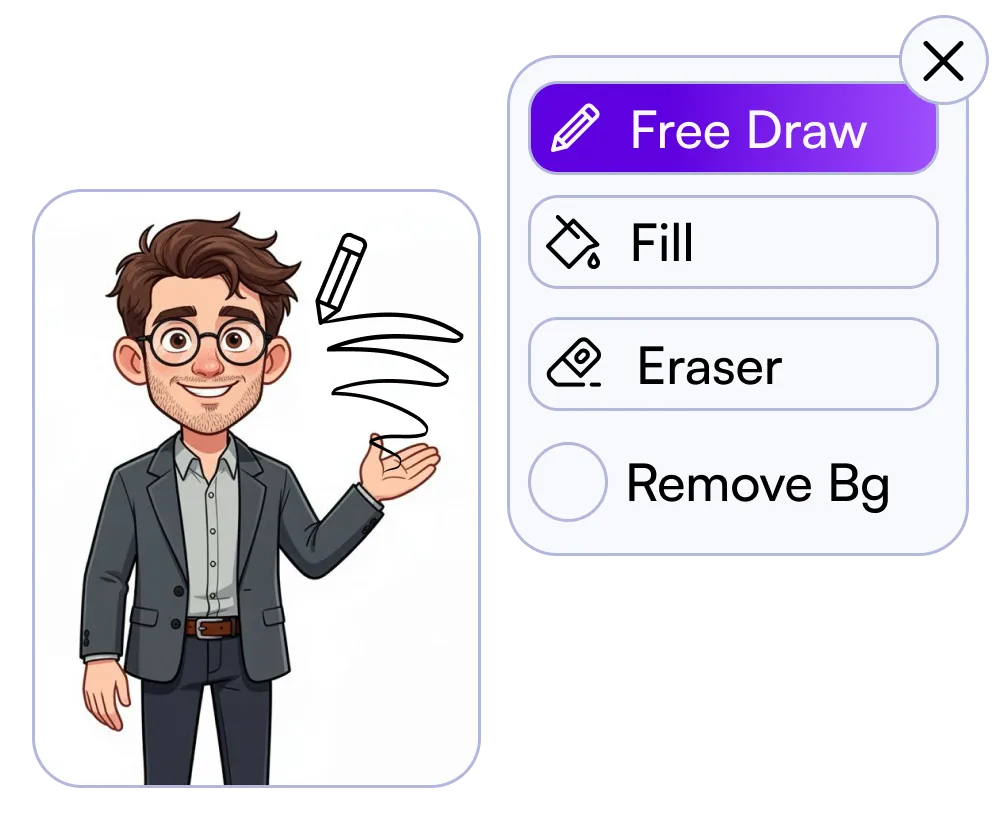
Layout work happens in an editor that lets you drag items around, and an image tool removes backgrounds. Bring in your own pictures, pick among eight hand styles on Standard, and choose from six motion types. Output lands in 16:9, 9:16, 4:5 or square, with 1080p HD listed for the base tier.
The money, stated plainly
The official page lists monthly plans from $47 a month; the order page shows the exact plan and price before you pay. Here is how the seller arranges the three tiers:
| Plan | Price | What it adds |
|---|---|---|
| Standard | $47 a month | Editor, DoodleAI, 150 credits, 1080p, 6 motion types, 6 AI looks, 14+ templates, 8 hands |
| Pro | $67 a month | Standard, extended with 3,000+ PRO elements, PRO looks, 2K and 4K output, custom fonts, commercial license, VIP support, music bonus |
| Agency | $127 a month | Pro with AI Wizard, InMotion and AI Voices (6 voices, 30+ languages) |
Charges repeat until you stop the subscription. The seller says stopping is possible at any moment and that stopping is distinct from asking for money back. In our view the monthly format makes the entry step gentle and the exit simple, yet the charge keeps arriving for as long as the plan stays active.
The guarantee, with its one limit
The seller’s offer includes a 60-day money-back guarantee. That promise matters for a paid tool, but the fine print matters more: once over half of the bundled AI credits are used, the refund option ends. On Standard, with 150 credits, passing 75 is the tipping point.
How the 60-day guarantee works
Ask via the seller’s help desk (help.instadoodle.com), using Refund Request as the title. Your account email, buy date and order reference go in the body, and the confirmation email stays on file. Approved requests are sent out within a week of the seller holding the details, according to the seller. Access and unused extras end with the refund. Renewal charges are not covered by a fresh promise.
Because of that credits rule, we suggest treating the guarantee as cover for an honest first look at the product, not as an open-ended return window. Pay attention to how many credits a project uses, and check your balance before you run a large batch of generations.
What we liked
The workflow is easy to picture. You describe a scene, the engine draws it, you tidy the layout and add the animation. The steps match the way many people already picture an explainer.
The bundled library is large. The seller counts more than a thousand built-in pieces on Standard, and the higher tiers add more. Starting from a template with the right kit on hand gives you a head start on the blank page.
Export fits the usual destinations. Vertical 9:16 for phones, widescreen 16:9 for sites and slides, and 4:5 or square for feeds all come from one project.
Audio is part of the package. Generate a voice, capture your own narration or upload a recording, and then layer background music underneath. The Pro bonus contributes 20 background tracks, per the seller.
The vendor shows its terms. The refund policy, terms and help desk are published, which makes the purchase easier to check before you commit.
Where we would be careful
Monthly billing never stops by itself. The subscription renews until you cancel, so put the renewal date somewhere you will see it.
Credit use sets the refund boundary. Once more than half of the bundled credits are spent, that route shuts. Pace your scenes so the balance holds through any review period.
Commercial rights vary by tier. Pro and Agency carry a commercial license according to the seller. Standard owners who plan paid use should consult the plan terms beforehand.
Uploads travel onward. Under the seller’s terms, prompts and files are handled by the seller and by outside AI services. Send only images and recordings you are cleared to use.
Generated output deserves a human pass. The seller says it may not qualify for exclusive copyright coverage, so look over each video before release.
Who we think it suits
InstaDoodle suits teachers, trainers, small business owners and explainer makers who release doodle-style clips on a steady rhythm. It also works for anyone who wants to sample the format on a monthly tier before expanding. Less ideal: people who require something without a subscription (the seller says it does not offer free versions), or anyone hoping for finished videos without a review step.
Our editorial score
Our editorial score for InstaDoodle is 7.6 out of 10, set by us and no one else. The product scores well for its concrete feature list, its three clearly priced tiers and its published refund terms. Points come off for the recurring monthly charge, the credits-based refund boundary and a commercial license restricted to certain tiers.
Our verdict
Turning your own ideas into doodle explainers is a realistic goal here, and InstaDoodle is a fair place to start. Match the tier to the job: Standard at $47 a month for the core workflow, Pro at $67 when commercial use and higher output matter, Agency at $127 for scripting and voice support. Before you begin, study the credits boundary in the guarantee and verify the plan and price on the order page.
Review FAQ
Is InstaDoodle worth it?
For people who want to make doodle-style explainer videos without drawing them by hand, it is a strong fit, provided the monthly price and the credits rule suit you. We score it 7.6 out of 10, which is our own editorial view.
What is the best plan to start with?
Standard, at $47 a month, covers the core editor, DoodleAI and 150 AI credits. Move up to Pro if you need the commercial license, 2K and 4K export or the extra elements.
Does the guarantee cover everything I do in the app?
No. The 60-day money-back guarantee is not available once more than half of the included AI credits have been used, so the credits limit matters more than the calendar.
Is there anything I should know before buying?
Billing is monthly and renews until you cancel, the commercial license depends on the plan, and your uploads are processed by the seller and third-party AI providers.